Facebook Call Ads vs WhatsApp Ads: Which Gets You More Enquiries?
How Facebook call now ads work, Meta’s rules for them, and when a WhatsApp chat ad suits you better. A fair decision guide, with sample ad copy and setup steps.
A Facebook call now ad shows your image or video with a Call now button that dials your business phone number, and Meta optimises it for calls. It runs on mobile placements only, under the Awareness, Traffic, Engagement, Leads or Sales objective in Ads Manager, and the number must be from the same country as the people you advertise to.
Neither a call ad nor a WhatsApp ad is better for every business, so this guide doesn’t pretend one always wins. It explains how call ads work, Meta’s rules, where they beat a chat and where a Click-to-WhatsApp ad suits you better, and how to run either from the Meta Ads menu in Automate AI. If you’re comparing chats with website visits and lead forms instead, read Click-to-WhatsApp vs website vs lead forms.
Key takeaways
- A call ad puts a Call now button on your ad. Meta optimises delivery for calls, and the ad shows on mobile placements only.
- Meta’s rules: the phone number must be from the same country as your audience, and the audience must be 18 or older.
- Calls suit urgent, local or high-value questions answered by someone who is free to pick up. Chats suit questions people want to ask in their own time, and leave a written record.
- If nobody answers, a call ad pays for a missed call. Use ad scheduling for business hours, or a chat or form ad out of hours.
- In Automate AI’s Meta Ads menu you can make Phone calls ads and WhatsApp chats ads side by side, and with WhatsApp Calling on, customers in a chat can call you over WhatsApp too.
What a Facebook call now ad is
A call ad looks like any other Facebook or Instagram ad, with a photo, video or carousel and some text, but its button is Call now. Tapping it opens the phone dialler with your number ready. There’s no form, no website and no chat in between.
Behind the button, Meta treats the ad as a phone call ad. In its Marketing API, a call ad’s ad set uses the destination PHONE_CALL and the optimisation goal QUALITY_CALL, and the button is the CALL_NOW call to action with a tel: link to your number. In plain words: Meta shows the ad to people it expects to call, not just to people likely to tap.
Meta offers a few ways to make one:
- Ads Manager, the full version. Meta recommends it for most advertisers, because it’s the only route with ad scheduling. Choose the Leads objective and, at the ad set level, Calls as the conversion location, then enter your number with the country code.
- From your Facebook Page or the Meta Business Suite app, with the goal Get more calls. Simpler, but without scheduling.
- Callback requests. On a call ad you can turn on callback requests via Messenger (it needs Messenger set up), so someone can leave a day, time and number instead of ringing straight away.
- A call add-on for website ads, which adds a call option next to a website destination.
If you’re new to objectives in general, Meta ads objectives explained covers all six and which destinations each one allows.
Meta’s rules for call ads
Check these before you plan a call campaign, because they rule some setups out:
| Rule | What Meta says |
|---|---|
| Phone number | Include the country code. The number must be from the same country as the target audience |
| Audience age | The target audience must be 18 or older |
| Placements | Mobile placements on Facebook and Instagram, such as Feed, Reels, Marketplace and Stories |
| Ad formats | Image, video, carousel and text-only ads |
| Scheduling | Set a schedule in Ads Manager’s Budget & schedule section (not in the simpler Get more calls route) |
| Dynamic creative | Not available for call ads |
| Numbers you can use | Any number your business provides, including toll-free numbers |
The normal ad rules still apply to the text and picture: no misleading prices, and no wording that asserts personal attributes, such as asking someone whether they have a medical condition. Meta reviews every ad before it runs.
What you can measure on a call ad
Ads Manager reports a few call metrics, and they mean different things:
- Estimated call confirmation clicks: people who tapped the button and confirmed they wanted to call.
- Calls placed: calls that were started from the ad.
- 20-second calls and 60-second calls: calls that connected and lasted at least that long. Meta says these call metrics are partly estimated.
- Callback requests submitted, if you turned callbacks on.
The longer calls are the closer signal to a real conversation. What none of these tell you is what was said, whether the caller bought, or which caller was which a week later. You have to note that yourself, in a call log or CRM. That’s the biggest practical difference from a chat ad, where the conversation is written down as it happens.
Call ads vs WhatsApp chat ads, side by side
Both ads start a conversation without a website. Here’s how they differ in practice:
| Call now ad | Click-to-WhatsApp ad | |
|---|---|---|
| What a tap does | Opens the dialler with your number | Opens a WhatsApp chat with your number and a suggested first message |
| Who must be free | Someone has to answer at that moment | Your team, a chatbot or AI can reply within minutes |
| Out of hours | Missed calls, unless you schedule the ad or turn on callbacks | The chat waits, and an automatic reply can set expectations |
| Record of the conversation | Only what you write down | The whole chat, with photos, prices and documents you shared |
| Follow-up | Another call, or a text from your own phone | Messages in the same chat; free for a while if you reply in time |
| Placements | Mobile only | Facebook and Instagram, and WhatsApp Status if you turn it on |
| Good for | Urgent jobs, emergencies, older customers, high-value advice | Prices, availability, photos, bookings, customers who prefer typing |
On cost, we won’t quote averages: Meta bills call ads by impressions, and what you pay per call or per chat depends on your market, offer and audience. The fair test is to run both for the same offer and compare cost per customer, not cost per tap. Facebook ads cost per lead shows how to work that out.
A decision guide: which one to run
Answer these questions in order. The first “yes” is usually your starting point:
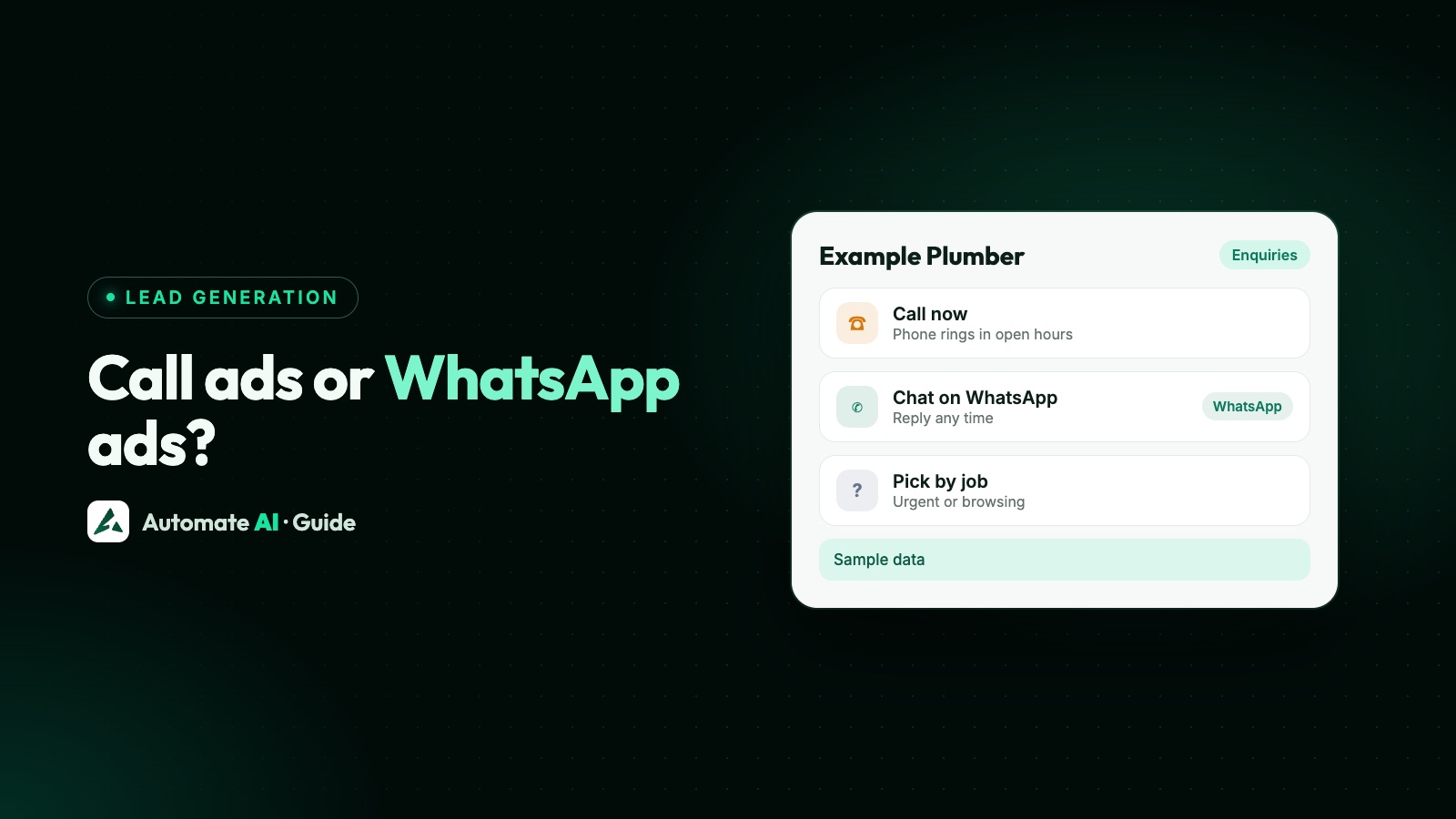
- Is the job urgent? A blocked drain, a locked-out customer, a breakdown, a same-day repair. People in a hurry want a voice. Start with a call ad, scheduled to the hours you can answer.
- Do people need to see something before deciding? Photos, a menu, a price list, a floor plan, a brochure. Start with a WhatsApp chat ad, so you can send it straight away.
- Can you answer the phone every time it rings in your ad hours? If not, a call ad will pay for missed calls. Start with chat, or a call ad with callback requests on.
- Do you need the same details from everyone first, such as area, budget or date? Use a lead form; see Facebook lead ads vs WhatsApp ads.
- Still unsure? Run a call ad and a chat ad for the same offer, same area and similar budget for at least a week, then compare cost per customer.
Getting calls through WhatsApp too
There’s a middle path many businesses miss: start with a chat, and talk when it helps. With WhatsApp Calling, customers who are chatting with your business number can call you over WhatsApp, and the call is free for them and for you. If your team needs to call back, the customer has to allow calls first, and calls you make are charged by length.
Meta’s rules for this are separate from call ads. WhatsApp calling needs a number on the Cloud API with a messaging limit of at least 2,000 unique users a day, and Meta limits which countries businesses can place calls from; see our WhatsApp calling guide and Meta’s calling documentation. Meta also lets developers add a call prompt to Click-to-WhatsApp ads through its Marketing API; Automate AI’s ad builder doesn’t add one, so customers call from the chat instead.
In Automate AI, WhatsApp Calling is on every plan:
- Turn it on in Settings › WhatsApp Calling and set Call hours, so outside them customers are asked to message instead.
- Answer in the browser. Every agent hears an incoming call ring, the first to answer takes it, and the call is saved in the chat with its length.
- Call back with permission. From the chat header, send Ask permission to call, or a Call us button so the customer rings when it suits them.
- Calls you make are charged per minute from your wallet, in 6-second steps.
Limits, pricing and permission rules are covered in full in the WhatsApp Business Calling API guide.
Sample ad copy for both
Made-up examples for sample businesses, written to be adapted. A call ad should tell people when to call; a chat ad should tell them what to send.
| Business | Call now ad | Click-to-WhatsApp ad |
|---|---|---|
| Example Plumbing, Bengaluru | “Leak or blocked drain? Call now and we’ll send a plumber today. 8 am to 8 pm, every day.” | “Send us a photo of the leak on WhatsApp and get a fixed price before we visit.” |
| Example Legal Advisors | “Got a notice from your landlord? Call us for a 10-minute first chat, Mon to Sat, 10 to 6.” | “Tell us about your rental question on WhatsApp and we’ll reply with next steps today.” |
| Example Car Care | “Car won’t start? Call now for roadside help across the city.” | “Book a service on WhatsApp: send your car model and we’ll share free slots.” |
For the chat ads, the pre-filled message matters as much as the ad. Something like “Hi, I need a price for a leak repair” tells your team what to answer first. More wording ideas are in Click-to-WhatsApp ads.
Make a call ad or a chat ad in Automate AI
You can build either ad in Ads Manager, or from Meta Ads in Automate AI’s main menu, on every plan, for account owners and managers. Meta bills the ad spend to your own ad account.
- Connect your ad account with Continue with Facebook, and pick the ad account and Page.
- Pick what the ad should get you: Phone calls (“People tap to call your number”) or WhatsApp chats (“People tap and chat with you on WhatsApp”). Lead forms, website visits and Messenger are there too.
- For a call ad, enter the number people call with the country code, such as +919876543210. It must be from the country you advertise in. For a chat ad, write the greeting and the customer’s first message instead.
- Describe the offer in a line. AI drafts the headline, text and audience (AI drafting uses your own AI key, added in Settings; without one, write the ad yourself); edit anything and add a photo.
- Add your cities, age and gender, a daily budget and, if you want, an end date. Ads from Automate AI are only shown to people 18 and over.
- Check and publish. Ads are created paused, so nothing is spent until you publish, and Meta reviews each ad before it runs.
Automate AI doesn’t set ad schedules or callback requests, so if your call ad must stop at closing time, make it in Ads Manager and set a schedule there. Automate AI still lists every ad in your account, including ones made in Ads Manager, with spend and clicks; for chat ads it also shows chats started and cost per chat, plus new contacts for chat ads made in Automate AI. More on the builder on the Click-to-WhatsApp ads page and the Meta Ads hub.
Frequently asked questions
How do I add a Call now button to a Facebook ad?
In Ads Manager, choose the Traffic, Engagement, Leads or Sales objective and pick Calls as the conversion location at the ad set level (or Awareness, with Call as the destination at ad level), then enter your phone number with the country code. You can also use the Get more calls goal from your Page or the Meta Business Suite app.
Do Facebook call ads show on desktop?
No. Meta delivers call ads on mobile placements only, on Facebook and Instagram, such as Feed, Reels, Marketplace and Stories.
Can I use any phone number in a call ad?
You can use any number your business provides, including toll-free numbers, but it must include the country code and be from the same country as the people you advertise to.
Are call ads better than WhatsApp ads?
Neither is better for everyone. Calls suit urgent, local or high-value questions when someone can answer straight away. WhatsApp chats suit questions people want to ask in their own time, and keep a written record. Test both and compare cost per customer.
Can I stop my call ad outside business hours?
Yes, with a schedule in Ads Manager’s Budget & schedule section; check which budget type it asks for, as Meta’s help pages differ. You can also turn on callback requests via Messenger so people leave a time to be called.
Can a Facebook ad start a WhatsApp call?
A Click-to-WhatsApp ad opens a chat. If your number has WhatsApp Calling on, the customer can call you from that chat for free. Meta also offers call prompts in Click-to-WhatsApp ads through its Marketing API.
Can I make call ads in Automate AI?
Yes. In Meta Ads, choose Phone calls as the ad type and enter the number people call, with the country code. You can make WhatsApp chat ads, lead form ads and others from the same menu.
Sources
- Meta for Business: Generate leads with phone call lead ads
- Meta for Developers: Call ads (Marketing API)
- Meta for Developers: Ads that click to WhatsApp (call prompts)
- Meta for Developers: Cloud API Calling
- Meta Transparency Center: Privacy violations and personal attributes
- Meta Transparency Center: Prohibited commercial practices
WhatsApp rules and prices change. We check these guides against Meta’s documentation, but always confirm current terms with Meta before you rely on them. Questions? Message us on WhatsApp at +91 836 977 8812.