Meta Ads for NGOs: Donors, Volunteers and WhatsApp Updates
Meta ads for NGOs: which ads to run for volunteers, events and donors, when Meta treats them as social issue ads needing authorisation, and WhatsApp follow-up.
Meta ads work best for an NGO when each ad asks for one thing (sign up to volunteer, come to an event, or give to an appeal) and the reply happens on WhatsApp, where you can answer questions and confirm the next step. Before you publish, check one rule: if the ad discusses, debates or advocates on a social issue, Meta treats it as a social issue ad, which needs authorisation and a “Paid for by” disclaimer, and a donation button doesn’t exempt an appeal that takes such a stand. Rules vary by country, so check them for the country you target.
Below: which ad suits each goal, how to tell whether your ad counts as a social issue ad, sample ads with made-up details, and the WhatsApp follow-up for each kind of response. WhatsApp messages, costs and privacy for NGOs are in WhatsApp for NGOs.
Key takeaways
- Run one ad per ask: a volunteer drive, an event, or an appeal. Mixing them makes both the ad and the follow-up unclear.
- Meta says non-profit groups are among the advertisers who must get authorised and use a “Paid for by” disclaimer when an ad takes a stand on a social issue.
- A donation ad needs authorisation if its content takes a stand on a social issue. Meta’s page on selling products says a donation request where all proceeds go to a cause isn’t exempt just because it has a button or offers something in return.
- Information without advocacy, such as “our exhibition opens on Monday”, is the kind of ad Meta’s examples show without a disclaimer. Meta reviews the image, text and landing page, and makes the final call.
- In Automate AI, volunteer and event ads can be made from Meta Ads; set up authorised social issue campaigns in Ads Manager, and follow up every chat and form lead in one inbox.
Which Meta ad suits each NGO goal
Most NGO campaigns have one of four aims. Each suits a different ad and a different first message on WhatsApp:
| Goal | Ad to run | What the person does | First step on WhatsApp |
|---|---|---|---|
| Recruit volunteers | Click-to-WhatsApp ad | Sends a ready-typed message such as “I’d like to volunteer” | Ask which city and which days suit them |
| Recruit volunteers who prefer a form | Lead form ad | Fills in name, phone, city and availability on Facebook or Instagram | An approved template thanking them and offering shift dates |
| Fill an event (a run, a camp, a drive) | Click-to-WhatsApp ad | Asks about the date, place or registration | Send the details and a registration link or slot choice |
| Raise donations for an appeal | Website ad to your donation page, or a chat ad | Gives on your secure page, or asks a question first | Answer questions, then send the donation page link |
Meta’s developer documentation says a Click-to-WhatsApp ad needs a Facebook Page with your WhatsApp number linked, and can use an image, a video, a carousel or a slideshow. When someone messages you from one on WhatsApp’s Android or iOS app, Meta’s pricing page says that if you reply within the 24-hour customer service window, the messages in the free entry point window that follows are free, and that window may stay open for up to 7 days. Automate AI still charges its normal rates for those messages from the wallet.
Is your ad a social issue ad?
Meta classes an ad as being about social issues, elections or politics when it is made by or about a candidate, political figure or party, is about an election or referendum (including get-out-the-vote ads), is about a social issue where the ad runs, or is regulated as political advertising. Meta’s social issue topics include civil and social rights, crime, economy, education, environmental politics, guns, health, immigration, political values and governance, and security and foreign policy, and the list varies by country.
What counts is the ad’s content, not who you are. Applied to typical NGO ads, in our own wording:
| Sample ad text | Likely treatment | Why |
|---|---|---|
| “Volunteers needed for our Sunday beach clean-up. Message us to join a shift.” | Usually no disclaimer | An event and a sign-up, with no debate or advocacy |
| “Our free eye-check camp is at the community hall on Saturday.” | Usually no disclaimer | Promotes a service; Meta’s health examples show clinic visits without one |
| “Every child deserves a school. Demand better education funding.” | Needs authorisation and a disclaimer | Advocacy on education and a call to act on policy |
| “Sign our petition to the city council.” | Needs authorisation and a disclaimer | Meta names petitions aimed at a governing body |
| “Donate to our flood relief appeal. All funds go to families.” | Depends on the wording | Needs authorisation if it advocates on a social issue; the Donate button doesn’t exempt it |
Meta’s page on selling products and services explains the last row. An ad whose main purpose is selling a product or promoting a service, with a call to action such as Book now or Contact us, might not count as a social issue ad. But Meta says ads still need authorisation and a disclaimer when they are a donation request where all of the proceeds go to a cause or organisation, even if something is given in return. If only part of the price of a product goes to a cause, the ad might not need one.
Getting authorised to run social issue ads
- Confirm your identity. Authorisation is for advertisers who reside and are located in the country they target, with documents issued by that country that haven’t expired.
- Create a disclaimer with the accurate name of the organisation paying for the ads. Meta reviews disclaimers, usually within 24 hours, and the disclaimer’s location must match the country you target.
- Choose the category “Social issues, elections or politics” when you create the campaign. Meta says a campaign it finds to be about these topics, without the category, will be disapproved.
- Target your own country. Meta says qualifying organisations, including non-governmental organisations, can run social issue ads across markets once they have completed authorisation in at least one country, and qualifying charitable and humanitarian organisations can run specific social issue ads across the UK and US.
- Expect transparency. These ads go into Meta’s public Ad Library, where Meta keeps them for seven years.
Some placements aren’t available for ads with a “Paid for by” disclaimer. Meta’s disclaimer page lists Messenger, WhatsApp, the right-hand column, Marketplace, search and Audience Network. And since early October 2025, Meta doesn’t allow social issue, electoral or political ads in the EU at all. The full category rules are in Meta’s special ad categories.
Sample NGO ads
Our own samples, with made-up organisations and places. Make each pre-filled message name the campaign, so your team knows which ad started the chat.
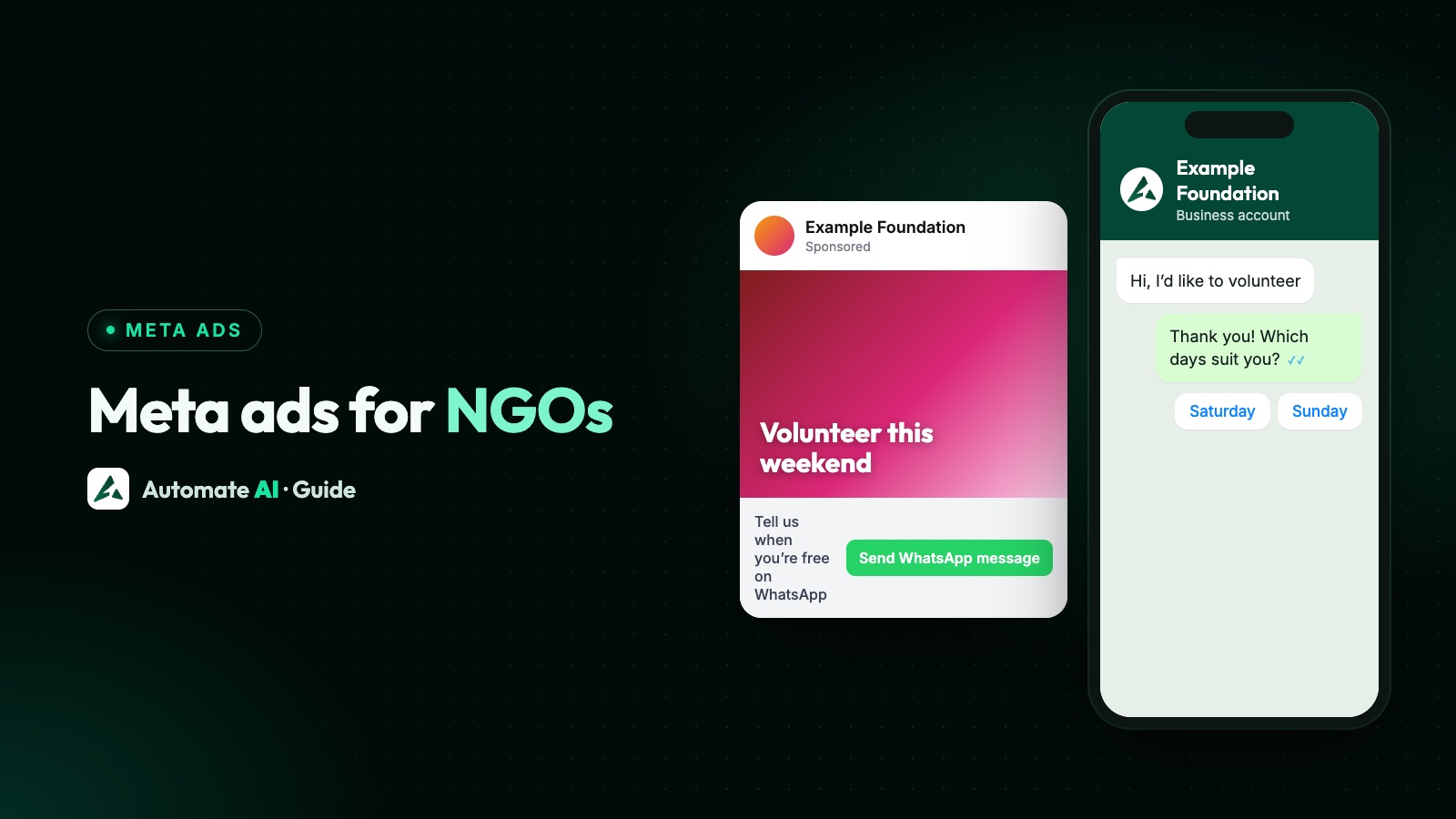
1. Volunteer drive (sample: Example Foundation, Pune)
- Primary text: We need 40 volunteers to pack food kits at our Kothrud centre on 13 and 14 December. Two-hour shifts, no experience needed. Message us to pick a slot.
- Headline: Pack food kits this weekend
- Pre-filled message: Hi, I’d like to volunteer for the food kit drive.
- Greeting: Thank you! Which day suits you, Saturday or Sunday?
2. Event sign-up (sample: Example Trust, Kochi)
- Primary text: Join our 5 km charity walk along Marine Drive on 4 January. Message us for the start time, route and registration.
- Headline: 5 km charity walk, 4 January
- Pre-filled message: Hi, please send details of the charity walk.
- Greeting: Glad you’re interested. Are you joining alone or with a group?
3. Volunteer form (sample: Example Animal Care, Bengaluru), as a lead form ad
- Primary text: Help us walk, feed and care for rescued dogs. Tell us when you’re free and we’ll message you on WhatsApp with dates.
- Headline: Volunteer at our shelter
- Form questions: Your area (short answer) · Which days suit you? (Weekdays / Weekends / Either) · How did you hear about us? (optional)
- Opt-in line on the form: Example Animal Care will contact you on WhatsApp about volunteering.
More ad wording is in Click-to-WhatsApp ad examples, and form setup in how to create a Facebook lead form.
Follow up on WhatsApp
The follow-up decides whether people turn up. A sample flow for the volunteer drive, with made-up details:
| Step | From a chat ad | From a lead form |
|---|---|---|
| 1. First message | Volunteer sends “Hi, I’d like to volunteer for the food kit drive.” | Your template: “Hi {{1}}, thanks for offering to volunteer with Example Foundation. Would you like to pick a shift?” with buttons Pick a shift and Not now |
| 2. Day | Buttons: Saturday · Sunday | Same, after they tap Pick a shift |
| 3. Shift | List: 9 to 11 am · 11 am to 1 pm · 2 to 4 pm | Same |
| 4. Confirm | “You’re down for Saturday, 9 to 11 am, at our Kothrud centre. Please wear closed shoes.” | Same |
| 5. Hand-over | The chat goes to your volunteer coordinator | Same |
For donations, answer questions in the chat, then send the link to your secure donation page. Never ask for card or bank details in a chat. Receipts, reminders and supporter updates, with sample templates, are in WhatsApp for NGOs.
Your first message to a form lead must be an approved template. A later appeal is a marketing template, so end it with “Reply STOP to opt out”; in Automate AI, a typed STOP opts a contact out automatically, but button taps don’t.
Set up NGO ads in Automate AI
Meta Ads is in Automate AI’s main menu on every plan, for account owners and managers, and Meta bills the ad spend to your own ad account.
- Connect your ad account with Continue with Facebook, and pick the ad account and your organisation’s Page. Chat ads open a chat with your connected WhatsApp number.
- Choose the ad type: a WhatsApp chat ad, a website ad to your donation page, or a lead form ad using a form you make in Automate AI or in Meta Business Suite.
- Describe the ask in a line, such as “volunteers to pack food kits in Pune on 13 and 14 December”. AI drafts the headline, text, greeting and pre-filled message (with your own AI key added in Settings; without one, write them yourself).
- Add your area: cities with a radius, or whole countries, and a real photo from your work.
- Check the special category. Leave it at none for volunteer and event ads. Publish, and Meta reviews the ad before it runs.
For ads that do need authorisation, the Meta Ads menu has a Politics or social issues option, but no field for the “Paid for by” disclaimer, and if Meta stops such an ad the app says it needs Meta’s approval first. So get authorised and create those campaigns in Ads Manager. Automate AI still shows them, with spend, clicks and chats started. Ads with this category can’t show in WhatsApp Status.
For forms, connect Integrations › Facebook Leads (AI + Automation Plan and Series 4), tick your Page and choose an approved template as the first message. Each lead with a phone number becomes a contact, and an existing contact is updated rather than duplicated. Chatbots, which run steps 2 to 4 above, are in the same plans. Details are on the Click-to-WhatsApp ads and Facebook Lead Ads integration pages.
Measure cost per volunteer who turns up
- Tag each chat ad. In Settings › Lead Sources, add a phrase from each pre-filled message, such as “food kit drive”, with a source name like “FB ad: food kits”.
- Mark progress with contact statuses, such as Shift booked, Attended and Donated.
- Compare in Meta Ads. Automate AI shows spend, clicks, chats started, cost per chat and new contacts for every ad.
A worked example with made-up numbers: ₹6,000 on a volunteer chat ad brings 90 chats, 50 booked shifts and 38 people who attend, about ₹158 per volunteer who turned up. A lead form ad with the same budget brings 140 leads but 30 attendees, about ₹200 each before template charges. Compare at the attendance stage. The method is in track which ads bring WhatsApp customers.
Frequently asked questions
Can an NGO run Meta ads?
Yes. Volunteer, event and service ads usually run like any other ad. Ads that discuss or advocate on a social issue, including donation appeals that do, need Meta’s authorisation and a “Paid for by” disclaimer.
Do fundraising ads need authorisation on Meta?
When the ad takes a stand on a social issue, yes. Meta’s page on social issue ads and selling products says a donation request where all proceeds go to a cause or organisation isn’t exempt just because it has a button or offers something in return. Meta reviews each ad and makes the final decision.
How does an NGO get authorised for social issue ads?
Confirm your identity in the country you’ll target, create a disclaimer with your organisation’s name, then choose the Social issues, elections or politics category when you create the campaign in Ads Manager.
Can NGOs run social issue ads in more than one country?
Meta says qualifying organisations, including NGOs, can run them across markets once authorised in at least one country. They can’t run in the EU.
Can a social issue ad show in WhatsApp Status?
No. Meta lists WhatsApp among the placements not available for ads with a disclaimer, and Automate AI doesn’t allow WhatsApp Status for ads with a special category.
Are WhatsApp chats from NGO ads free?
Chats started from a Click-to-WhatsApp ad on WhatsApp’s mobile app get Meta’s free entry point window of up to 7 days if you reply within 24 hours. You still pay for the ad, Automate AI still charges its normal rates, and templates to form leads are charged.
Sources
- Meta Business Help Centre: About ads about social issues, elections or politics
- Meta Business Help Centre: About social issues
- Meta Business Help Centre: How ads about social issues, elections or politics are reviewed
- Meta Business Help Centre: Ads about social issues and selling products or services
- Meta Business Help Centre: How to create ads about social issues, elections or politics
- Meta Business Help Centre: How disclaimers work for ads about social issues, elections or politics
- Meta for Developers: Click-to-WhatsApp ads
- Meta: Pricing on the WhatsApp Business Platform (free entry point window)
WhatsApp rules and prices change. We check these guides against Meta’s documentation, but always confirm current terms with Meta before you rely on them. Questions? Message us on WhatsApp at +91 836 977 8812.