Thank-You Messages for Customers on WhatsApp (Samples)
Sample WhatsApp thank-you messages for customers: after an enquiry, an order, a payment, an event or a referral, plus Meta’s category rules and when to send.
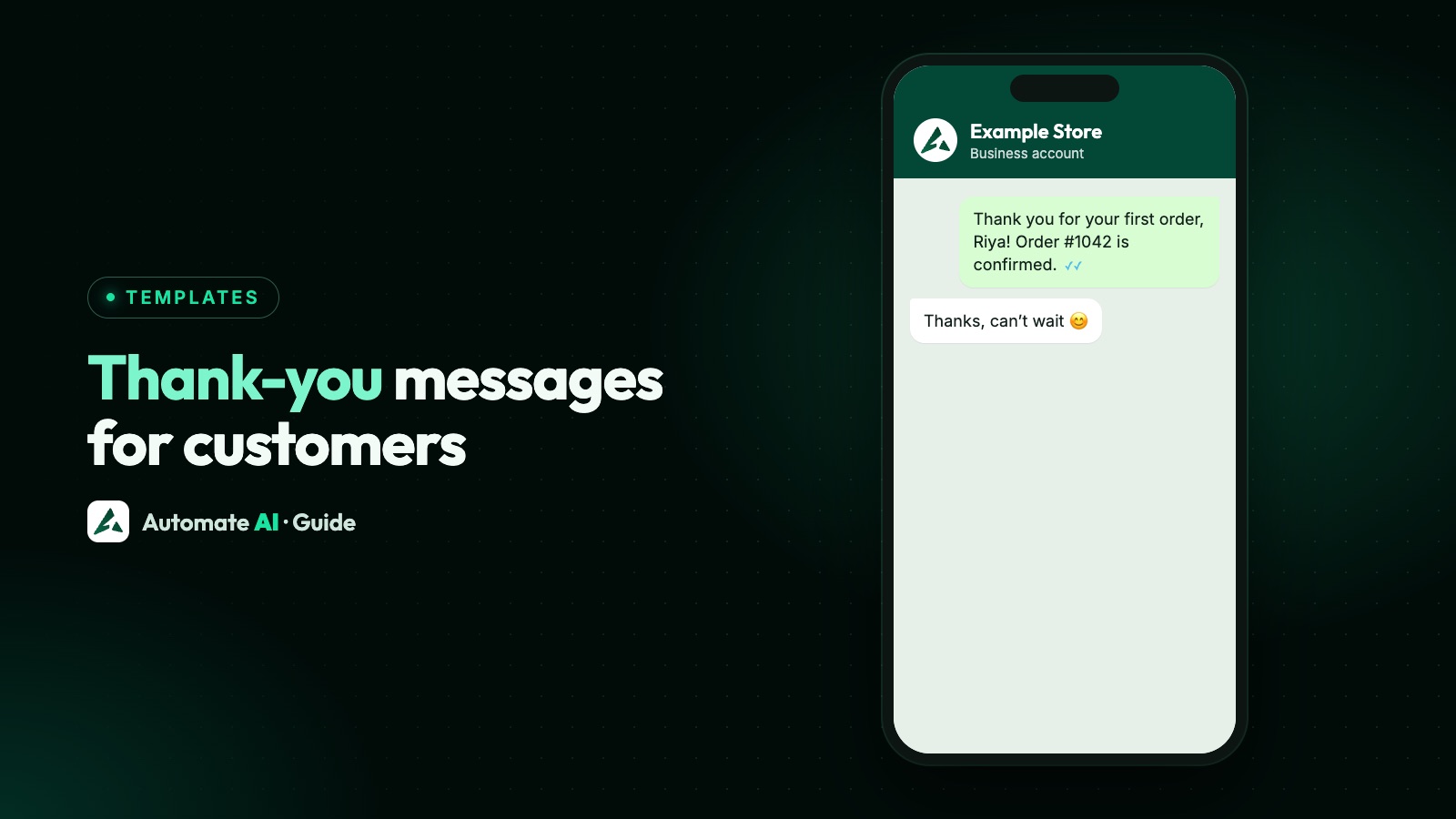
A good WhatsApp thank-you message is short, personal and tied to what the customer just did: “Thanks for your order, Priya. It’s confirmed and we’ll message you when it ships.” Send it soon after the moment, and say what happens next.
Below are original samples for the moments businesses thank customers most, which ones count as utility or marketing under Meta’s rules, how the 24-hour window changes what you can send, and how to send them automatically.
Key takeaways
- Inside the 24-hour window after a customer messages you, a thank-you is a normal reply and needs no template.
- Outside the window it must be an approved template, and the customer must have opted in.
- A thank-you that confirms the customer’s own order or payment fits utility. Thanks with an offer, or “thank you for being a valued customer”, is marketing.
- Send it within minutes of the moment, during the customer’s waking hours, and keep it to one message.
- Marketing thank-yous end with an opt-out, such as “Reply STOP to opt out”.
Do you need a template to say thank you?
It depends on when you send it. When a customer messages you, a 24-hour customer service window opens, and every new message from them resets it. Inside that window you can send any normal message. Once it closes, Meta lets you send only templates it has approved.
| Situation | What you send | Template needed? |
|---|---|---|
| Customer messaged you in the last 24 hours | A normal reply, typed or automatic | No |
| Order placed on your website, no chat | A utility template confirming the order | Yes |
| Payment received by bank transfer or link | A utility template confirming the payment | Yes |
| Thanking past customers with an offer | A marketing template | Yes |
If you use the free WhatsApp Business app, there’s no window or template system; you simply type or paste the message. The rules below matter on the WhatsApp Business Platform (API). More detail in the WhatsApp 24-hour window, explained.
Utility or marketing? Meta’s rules for thank-you messages
Meta’s template categorisation guidelines say a utility template must be non-promotional and specific to the customer’s order, account, service or transaction, or essential to them. Meta’s own examples show how thin the line is:
- Utility: “Thank you! Your order {{order_number}} is confirmed.” and a refund notice that ends “Thank you for your business.”
- Marketing: a thank-you for a last order that offers a discount on the next one, and “Thank you for being a valued customer”, which Meta files under building customer relationships.
So the thank-you itself doesn’t decide the category. What decides it is everything around it. A thank-you attached to a real update about the customer’s order or payment is utility. A thank-you on its own, or with an offer, a product suggestion or a nudge to buy again, is marketing.
Sample thank-you messages by moment
All samples are original, with demo data. Placeholders are in {{ }}. Change the wording to sound like your business, because Meta reviews every template.
After an enquiry (inside the window, no template)
- “Thanks for contacting Example Interiors, Rahul. We’ve got your question about the modular kitchen and Neha from our design team will reply within the hour.”
- “Thank you for your message! We’re checking stock for the blue sofa now and will get back to you by 4 pm today.”
For an automatic first reply or an away message, see WhatsApp auto reply, which covers greeting and keyword replies in detail.
First order (utility template)
- “Thank you for your first order with Example Store, {{1}}! Order {{2}} is confirmed and we’ll message you here when it ships. Questions? Just reply to this message.” [Track order]
Repeat order (utility template)
- “Thanks for ordering again, {{1}}. Your order {{2}} is confirmed and should reach you by {{3}}. We’ll share tracking details as soon as it leaves our warehouse.”
Payment received (utility template)
- “Thank you, {{1}}. We’ve received your payment of ₹{{2}} for invoice {{3}}. No further action is needed, and your receipt is in your account.” [View receipt]
Event attended (utility template, if it only delivers what was promised)
- “Thank you for joining the Example Academy workshop, {{1}}. As promised, the slides and the session recording are at the link below. They’ll stay available for 30 days.” [Get the slides]
Event attended, with the next event (marketing template)
- “Thanks for coming to our Saturday baking class, {{1}}! Our next class, sourdough for beginners, is on {{2}}, and past guests can book first. Reply STOP to opt out.” [Book a seat]
Referral (marketing template)
- “Thank you for recommending us, {{1}}! Your friend has joined Example Fitness, and your free month has been added to your membership. Know someone else who’d like to train with us? Reply STOP to opt out.” [Share your link]
Loyal customer (marketing template)
- “Hi {{1}}, thank you for shopping with Example Store all year. As a small thank-you, here’s 10% off your next order with code THANKS10, valid until {{2}}. Reply STOP to opt out.” [Shop now]
Running a referral scheme? The rules and the full set-up are in how to run a WhatsApp referral programme.
What every thank-you message should include
- The customer’s name, so it doesn’t read like a broadcast.
- What you’re thanking them for, such as the order number, the amount or the event.
- What happens next: when it ships, when someone will call, where the slides are.
- A way to reach a person. WhatsApp’s policy asks for a clear path to a human when you use automation. “Just reply to this message” is often enough.
- One clear button at most. Track order, view receipt or book a seat.
- An opt-out on marketing messages. WhatsApp’s policy requires you to respect every request to stop.
Keep it to two or three short sentences. The body of a template can be up to 1,024 characters, but a thank-you that needs scrolling has stopped being a thank-you.
When to send it
| Moment | Best time | Why |
|---|---|---|
| Enquiry | Straight away, inside the window | They’re waiting for a reply |
| Order placed | Within minutes | It doubles as the order confirmation |
| Payment received | As soon as the payment is confirmed | It stops them worrying that it didn’t go through |
| Event attended | The same evening or the next morning | The event is still fresh |
| Referral | When the reward is actually added | Thanking before the reward lands invites questions |
| Loyal customer | Once in a while, not after every order | Too many marketing messages lead to blocks |
Send automated messages during the customer’s waking hours, and never send a thank-you and a feedback request in the same minute. Wait until the order has arrived before asking how it went. Our guide on collecting customer feedback on WhatsApp covers that second message, and asking for Google reviews covers the third.
Send thank-you messages automatically with Automate AI
Pick the method by where the moment happens:
| Moment happens in | How to send the thank-you |
|---|---|
| A WhatsApp chat | Reply from the shared inbox, or with a keyword reply or chatbot |
| Your Shopify store | The Shopify integration: pick a template for order placed and payment confirmed |
| Your own website, POS or billing system | Send a utility template through the REST API when the order or payment is recorded |
| A status or group change in Automate AI | A drip sequence whose first step goes out on enrolment |
Shopify, drip sequences, chatbots, keyword replies and the REST API are included in the AI + Automation Plan and Series 4.
A thank-you drip, step by step
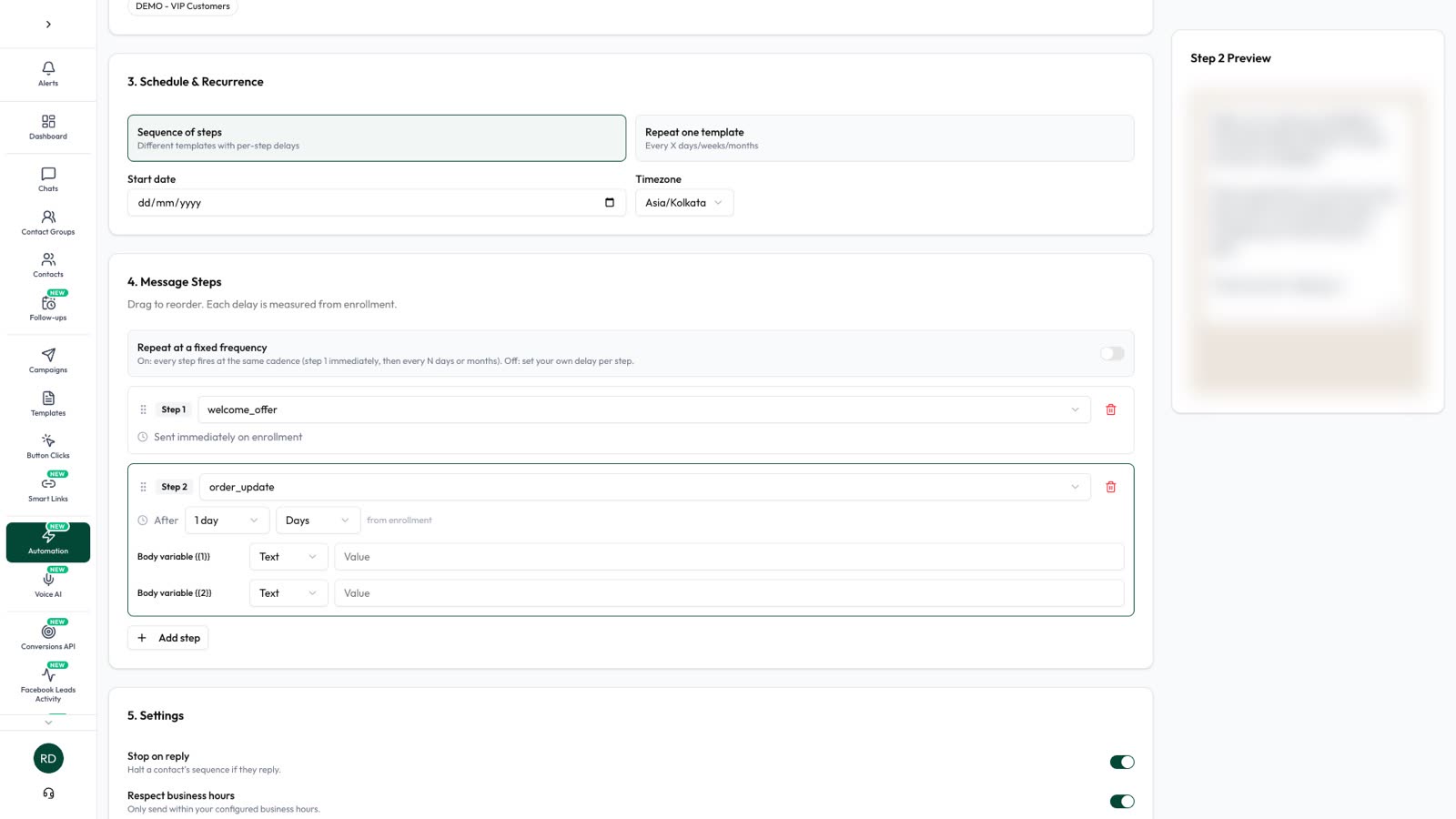
- Open Campaigns › Drip Campaigns, click New Drip Campaign and choose the Drip Sequence tab.
- For the audience, include a status or group such as Customer, and exclude anyone you don’t want to reach. Contacts who match are enrolled, including ones who match later.
- Make step 1 your approved thank-you template. It goes out on enrolment.
- Add a later step if you want one, such as a feedback request a few days after enrolment, once the order has usually arrived. Each delay counts from enrolment, not from delivery.
- Keep Stop on reply on (it is by default), so your team takes over when a customer answers, and turn on business hours, so nothing arrives at night. With Stop on reply on, a customer who answers the thank-you won’t get the later steps.
- Activate it, then mark a contact as Customer, or add them to the group, when they buy.
What a thank-you message costs
Meta charges per delivered template, by category and the customer’s country, and marketing costs more than utility. Since 1 October 2026, Meta also charges for utility templates sent inside an open window. Normal replies inside the window are service messages, and Meta charges for them only after the first 1,000 a month for each business number.
So a thank-you typed into an open chat is usually the cheapest, a utility order confirmation is next, and a marketing thank-you with an offer costs the most. Rates by country are in WhatsApp API pricing, and Automate AI’s rates are on the pricing page.
Mistakes to avoid
- Labelling a promotional thank-you as utility. Meta reclassifies it, and repeated misuse can bring warnings.
- Thanking people who never opted in. A purchase isn’t automatic permission for WhatsApp messages. See WhatsApp opt-in.
- Sending three messages at once: thanks, feedback and a review request. Space them out.
- Generic wording. “Thank you for your purchase” with no name or order number reads like spam.
- Asking for card or bank details in a payment thank-you. WhatsApp’s policy forbids asking for full card or account numbers.
Frequently asked questions
How do I write a thank-you message for customers on WhatsApp?
Use their name, say what you’re thanking them for, such as the order number, say what happens next and offer a way to reply. Keep it to two or three sentences.
What should I reply to “thank you for contacting us” messages?
If the customer has messaged you, the 24-hour window is open, so reply normally: thank them, confirm what they asked about and say when they’ll hear back.
Is a thank-you message utility or marketing?
A thank-you that comes with a real update about the customer’s own order or payment fits utility. A thank-you on its own, or with an offer or a prompt to buy again, is marketing. Meta makes the final decision.
Can I send a thank-you message after 24 hours?
Yes, as an approved template to a customer who has opted in to messages from your business.
Can Automate AI send a thank-you after every order?
Yes, from the Shopify integration or through the REST API from your own system. A drip sequence enrols each contact once, so it suits first-order thanks.
Do marketing thank-you messages need an opt-out?
WhatsApp’s policy requires you to respect every request to stop messaging. Ending marketing messages with “Reply STOP to opt out” makes that easy, and in Automate AI a typed STOP opts the contact out automatically.
Sources
- Meta: Template categorization
- Meta: Send messages (customer service window)
- Meta: Template components
- Meta: Pricing on the WhatsApp Business Platform
- WhatsApp Business Messaging Policy
WhatsApp rules and prices change. We check these guides against Meta’s documentation, but always confirm current terms with Meta before you rely on them. Questions? Message us on WhatsApp at +91 836 977 8812.