Can You Use the WhatsApp API on a Personal Number?
Can you use the WhatsApp API on a personal number? What Meta’s terms allow for personal use, what happens to your number and chats, the costs and safe options.
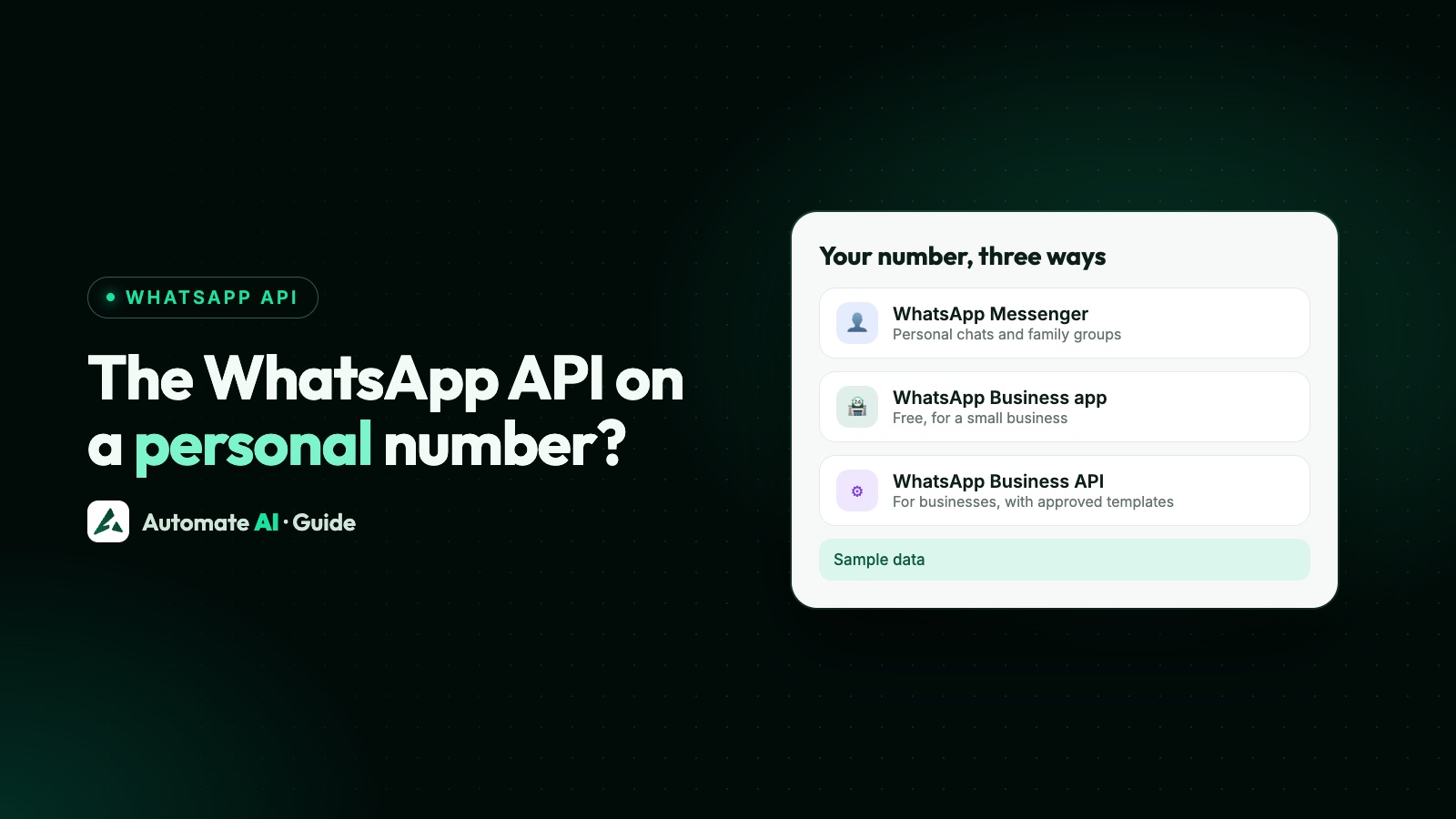
You can put a number you’ve used personally on the WhatsApp API, but only to message customers for a business, not to chat with friends and family. The WhatsApp Business Platform (the API) is a business product: Meta’s terms are written for companies and the people authorised to act for them, and there’s no official API for personal WhatsApp accounts.
A number on the API also stops working in the normal WhatsApp app, unless it’s a WhatsApp Business app number connected with coexistence. This guide explains what Meta’s and WhatsApp’s rules say, what happens to your number and chats, what it costs, and the safe options if you’re a freelancer, a sole trader or a small business run from your own phone.
Key takeaways
- There’s no official WhatsApp API for personal accounts. The API is for businesses messaging customers who opted in.
- A number registered on the Cloud API can’t be used in the WhatsApp apps at the same time, except a Business app number on coexistence.
- Moving a personal (WhatsApp Messenger) number to the API alone means deleting that WhatsApp account first, and its chat history goes with it.
- The safer path for a personal number: move it to the WhatsApp Business app, then connect it with coexistence so the app keeps working.
- The API isn’t free for sending: Meta charges per delivered message, by category and country, with 1,000 free service replies a month per number.
The short answer: business use yes, personal chats no
People search “WhatsApp API personal” for two quite different reasons, and the answer is different for each:
| What you want | Can the official API do it? | What to use instead |
|---|---|---|
| Automate your own chats with friends, family or groups | No. The API isn’t for personal messaging | The normal WhatsApp app |
| Use the number you already have for a small business | Yes, once it’s set up as a business number | The Business app, then the API or coexistence |
| Send bulk messages from a personal account | No. WhatsApp’s terms ban bulk and auto-messaging in the apps | Opted-in campaigns on the API |
| Test the API before choosing a number | Yes, with Meta’s test number | See the WhatsApp API test number |
So if you run a business, even a small one on your own, the API is open to you, and you can use a number you’ve had for years. What you can’t do is treat it as a personal WhatsApp account with extra powers.
What Meta’s and WhatsApp’s terms say
Three sets of rules matter here, and they point the same way:
- Meta Terms for WhatsApp Business Platform. They bind “you and the company that you are authorized to represent”, and access is limited to people authorised to act for that company. Consumers appear only as the people a business messages.
- WhatsApp Terms of Service (for the WhatsApp apps). They prohibit bulk messaging, auto-messaging and auto-dialling, and any non-personal use of the apps unless WhatsApp has authorised it. For business messaging, WhatsApp offers its own products: the Business app and the Business Platform.
- WhatsApp Business Messaging Policy. It covers both business products. You may only contact people who gave you their number and opted in to hear from you, outside the 24-hour customer service window you may only send approved templates, and you must honour every request to stop.
What happens to a number on the API
Meta’s phone number rules are strict. A number registered on the Cloud API can’t be used with WhatsApp, although it still works for ordinary calls and SMS. A number that is already active on WhatsApp can’t be registered until that WhatsApp account is deleted. Here’s what each choice means for a number you use today:
| Personal WhatsApp app | WhatsApp Business app | API only | Business app + API (coexistence) | |
|---|---|---|---|---|
| Chat from your phone | Yes | Yes | No | Yes |
| Old chats on your phone | Kept | Kept when you move from the personal app | Lost when the account is deleted | Kept in the app |
| Bulk messages to opted-in customers | No | Broadcast lists, with limits | Yes, with approved templates | Yes, from the API |
| Team inbox, chatbots, automation | No | No | Yes, through a provider | Yes, through a provider |
| Costs to send | Free | Free | Per delivered message | App messages free, API messages per message |
Meta’s migration guide is clear about the trade-off: to use an existing WhatsApp number with the Cloud API alone, you must first delete your WhatsApp account, back up your chat history first, and once registered you can’t use that number in the Business app again unless you deregister it from the Cloud API. After deleting, it can take up to 3 minutes for the number to become available.
Keep your chats: move to the Business app, then use coexistence
Coexistence is Meta’s way of keeping the WhatsApp Business app working on a number that is also connected to the Cloud API. It’s built for WhatsApp Business app numbers, so a personal (WhatsApp Messenger) number needs one step first. A typical path:
- Back up your chats in WhatsApp, as WhatsApp recommends before moving.
- Save your WhatsApp contacts to your phone’s address book. WhatsApp says contacts created inside WhatsApp aren’t yet supported in the Business app and are lost when you move.
- Install the WhatsApp Business app and choose your existing number. It asks to access your previous chats and media, then verifies the number by SMS.
- Set up your business profile with a business name, address and hours.
- Update the Business app to version 2.24.17 or higher, which Meta requires for coexistence.
- Connect the number to the API through a provider. Only a Meta Solution Partner or Tech Provider can onboard a Business app number, through Meta’s Embedded Signup.
Once connected, you keep chatting from the app while campaigns and automation run on the API. Coexistence numbers are fixed at 20 messages per second. Signup errors and fixes are in WhatsApp coexistence not working, and the two paths are compared in coexistence vs full migration.
Is there a free personal WhatsApp API?
No. There’s no official free API for a personal account, and the official Business Platform isn’t free to send on either. What it costs, in short:
- Meta’s charges. Meta charges per delivered message, and the rate depends on the category (marketing, utility, authentication or service) and the recipient’s country. Messages customers send you are free.
- Service replies. Each business number gets 1,000 free delivered service messages a month; Meta resumed charging beyond that on 1 October 2026.
- Your provider. If you use a platform for the inbox, campaigns and chatbots, it charges for its software.
The full breakdown is in is the WhatsApp API free?, and rates by country are on our WhatsApp API pricing page.
Why unofficial “personal WhatsApp API” tools aren’t the answer
Search results are full of libraries and services that offer an “API” for a personal WhatsApp account. They work by automating WhatsApp Web or the app, which isn’t an API Meta offers. We don’t recommend any of them for a number you care about.
- They break WhatsApp’s terms, which ban automated access, bulk messaging and auto-messaging in the apps.
- Your number can be banned. WhatsApp warns that unofficial apps can lead to temporary or permanent bans, and a banned number has to be unbanned before Meta will register it on the API.
- They can stop working at any time, because they depend on how WhatsApp Web behaves today.
We covered how these tools work, and how to move off them, in WhatsApp Web API: official vs unofficial options.
What changes when your number becomes a business number
If you go ahead, a few habits from personal WhatsApp have to change. These are the ones that surprise people most:
- Only message people who opted in to hear from your business, by name. Having someone’s number isn’t enough. See WhatsApp opt-in.
- The 24-hour window. You can reply freely for 24 hours after a customer’s last message; after that, only approved templates go out.
- Templates need Meta’s approval, in the right category. See WhatsApp template messages.
- Groups are limited. Meta’s Groups API lets a business with an Official Business Account create small groups of up to 8 participants who join by link, and not on numbers connected with coexistence; it isn’t a replacement for family groups.
- Honour opt-outs, on or off WhatsApp, straight away.
Connecting a number to Automate AI
Automate AI is a WhatsApp Business API platform, so it’s for business messaging, not personal chats. In the app, Connect WhatsApp offers two cards:
- New number: a number that isn’t on WhatsApp, or one you’ve deleted from WhatsApp, goes on the API only.
- WhatsApp Business App number: choose Use my app number to keep the Business app on your phone with coexistence. New customer messages and messages you send from the phone app show in the shared inbox. Your past chats stay in the app, and if you ask our team when you connect, we can bring in your WhatsApp Business app contacts and up to 6 months of one-to-one chats, within 24 hours of connecting, if you allowed chat sharing in Meta’s window.
Campaigns, templates, contacts and the team inbox are on every plan; see pricing and WhatsApp marketing. For the number rules in more depth, read WhatsApp Cloud API phone numbers and WhatsApp coexistence.
Frequently asked questions
Can I use the WhatsApp API for personal use?
No. The WhatsApp Business Platform is for businesses messaging customers who opted in. Meta’s terms are written for companies and the people authorised to act for them, and there’s no official API for personal accounts.
Can I use my personal WhatsApp number for the WhatsApp Business API?
Yes, for a business. Either delete the WhatsApp account on that number and register it on the API (your chat history is lost), or move it to the WhatsApp Business app first and connect it with coexistence so the app keeps working.
Can I use WhatsApp on my phone after moving my number to the API?
Not if the number is on the API only: Meta says registered numbers can’t be used with WhatsApp. With coexistence, a WhatsApp Business app number keeps working in the app on your phone.
Will I lose my chats if I move a personal number to the API?
If you delete the WhatsApp account to register the number on the API alone, yes, so back them up first. Moving to the WhatsApp Business app and then using coexistence keeps your chats in the app.
Is there a free personal WhatsApp API?
No. Unofficial tools that call themselves one break WhatsApp’s terms and can get your number banned. The official API charges per delivered message, with 1,000 free service replies per number a month.
How much does the WhatsApp API cost for one person or a small business?
The same as for anyone: Meta charges per delivered message by category and country, and your provider charges for its software. There’s no separate personal price.
Can a freelancer or sole trader use the WhatsApp API?
Yes, as a business. You need a Meta business portfolio, a number that isn’t in use on the WhatsApp apps (or a Business app number on coexistence), approved templates and opted-in customers.
Sources
- Meta Terms for WhatsApp Business Platform
- WhatsApp Terms of Service
- WhatsApp Business Messaging Policy
- WhatsApp Help Center: About unofficial apps
- Meta: Phone numbers
- Meta: Migrate an existing WhatsApp number to a business account
- Meta: Onboarding WhatsApp Business app users (coexistence)
- Meta: Pricing on the WhatsApp Business Platform
- WhatsApp Help Center: How to move your WhatsApp Messenger account to WhatsApp Business
WhatsApp rules and prices change. We check these guides against Meta’s documentation, but always confirm current terms with Meta before you rely on them. Questions? Message us on WhatsApp at +91 836 977 8812.