Meta Ads for Furniture Stores: Catalog, Showroom Visits and WhatsApp
Meta ads for furniture stores: showroom visit ads, room-photo chats, sharing sofas and beds from your catalogue on WhatsApp, delivery questions and sample ads.
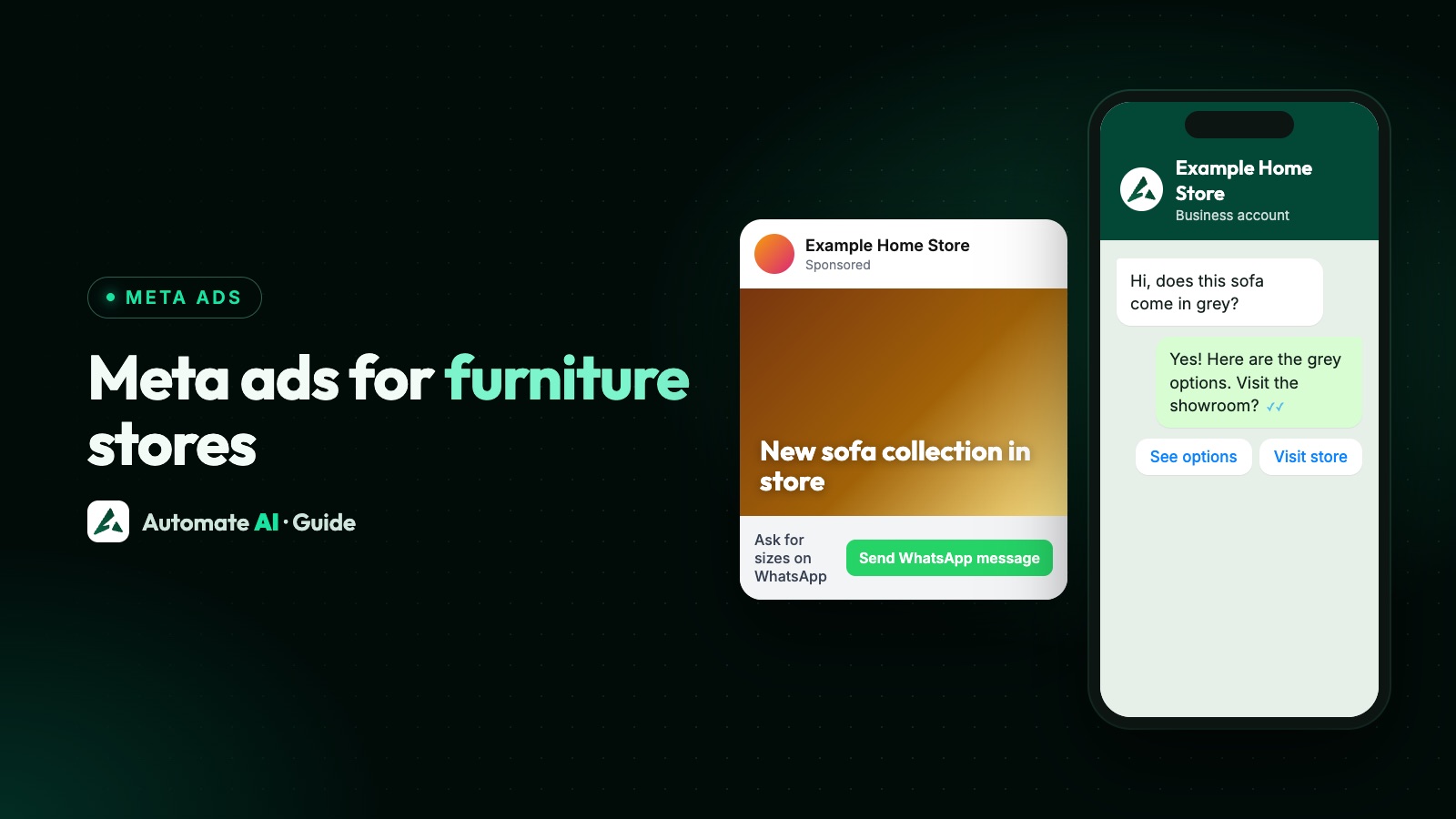
Meta ads work best for a furniture store when each ad shows one hero piece in a real room, opens a WhatsApp chat, and your team answers the “will it fit?” question with the shopper’s own room photo and a few matching pieces sent from your catalogue. For bigger decisions, such as a full bedroom set or a made-to-order sofa, a lead form that books a showroom visit often works better.
Furniture is different from most online shopping: pieces are large, expensive and slow to choose, and many buyers still want to sit on the sofa first. This guide covers the two jobs a furniture ad does (sell online or bring people to the showroom), the questions every furniture ad brings, sample ads for a made-up store, how to sell in the chat, and how to run it from Automate AI. Catalogue ads and the pixel are already covered in Meta ads for ecommerce, so we only link to them.
Key takeaways
- Decide each ad’s job: an order in the chat or a showroom visit. They need different ads and different measures.
- Ask for a room photo and the space measurements early. It answers “will it fit?” and tells you what else to show.
- In Automate AI your team can share one product, up to 30 products or the whole catalogue in a chat, on every plan, and see the carts shoppers build.
- For showroom visits, Meta’s lead forms have a store locator and an appointment request question. You build that form in Meta Ads Manager or Business Suite, then pick it for the lead form ad in Automate AI.
- Have a delivery and assembly answer ready: areas, charges, lead time, stairs and lifts, and what happens if it doesn’t fit.
Two jobs for a furniture ad
Most furniture stores need one of two outcomes from an ad. Pick one per ad, because the creative, the area and the first reply all change:
| Sell in the chat | Bring them to the showroom | |
|---|---|---|
| Good for | Chairs, side tables, beds, mattresses, ready stock sofas | Sofa sets, dining sets, recliners, made-to-order pieces |
| Ad | Ad that opens a WhatsApp chat, one hero piece | Lead form with a store locator or appointment request |
| Area | Everywhere you deliver | A drive-time circle around each showroom |
| First reply | Room photo, size, then 3 to 5 matching pieces | Confirm the visit time and what they want to see |
| What to measure | Orders and order value per ad | Visits booked, visits that turned up, sales in store |
If you sell online with a full store and pixel, add catalogue ads for people who viewed products; that’s set up in Meta ads for ecommerce and Meta ads retargeting.
The questions every furniture ad brings
Whatever the ad says, shoppers ask the same things. Write the answers down before you spend, and keep them ready as quick replies:
| The shopper asks | What a good reply includes |
|---|---|
| “Will it fit?” | Width, depth and height, seat height, and the space it needs around it |
| “Will it get through my door?” | Whether it comes assembled or in parts, and the smallest doorway or lift it needs |
| “What’s it made of?” | Frame, fabric or leather, foam density or mattress type, and finish, described exactly |
| “Is that the real colour?” | A daylight photo or video of the actual fabric, and whether you can send a swatch |
| “When can you deliver?” | Delivery areas, charges, lead time for ready stock and for made-to-order |
| “What if it doesn’t fit or arrives damaged?” | Your return, exchange and warranty rules in two lines, matching your store policy |
Sample furniture ads you can adapt
Our own samples for a made-up store, Example Home Furniture. A chat ad has the ad text, the pre-filled message the shopper sends (they can edit it before sending), and the greeting your business shows when the chat opens. In Automate AI the greeting can be up to 300 characters and the pre-filled message up to 120.
1. One hero piece
- Primary text: Our Oakline 3-seater is 198 cm wide and comes in 6 fabrics. Send us a photo of your living room and we’ll tell you if it fits.
- Headline: Oakline sofa, 198 cm, 6 fabrics
- Pre-filled message: Hi, will the Oakline sofa fit my room?
- Greeting: Hi! Send a photo of the wall it’ll go against and the width in cm. I’ll check the fit and show you the fabrics.
2. A collection (carousel)
- Primary text: Five bed frames under 190 cm wide, made for smaller bedrooms. Tap to see them all on WhatsApp.
- Headline: Beds for small bedrooms
- Pre-filled message: Hi, please show me the small bedroom beds
- Greeting: Hi! What size mattress do you have, or are you buying a new one too?
3. A showroom visit
- Primary text: Try 40 sofas and recliners before you choose. Book a visit to our Example Road showroom and we’ll keep your favourites ready.
- Headline: Sit before you buy: book a visit
- Form: store, preferred day, and what you’re looking for (below).
Shoot the piece in a real room, with a person sitting on it for scale, in daylight. A 10 to 20 second video that walks around the piece and shows the fabric up close answers more questions than any photo. Automate AI takes MP4 or MOV videos under 48 MB, or a carousel of 2 to 10 cards; carousels don’t show in WhatsApp Status. Sizes are in WhatsApp ad sizes.
Start with the room, not the price
Furniture questions are about a space the shopper can see and you can’t. Ask for it in the first reply:
- Ask for a photo of the room and the width of the wall or space in centimetres or inches.
- Check access: floor, lift, stairs, and the narrowest doorway, if it’s a big piece.
- Then show options that fit (next section), with prices.
You can do this by hand, or let a chatbot handle the first steps when your team is busy. In Automate AI’s chatbot builder (Automation › Flows, AI + Automation Plan and Series 4), buttons can ask which room it’s for, and a Collect Media step asks for the room photo and saves it to the chat before a person takes over in the shared inbox.
Show products in the chat
A furniture shopper almost never buys the first piece they see. They want three sofas that fit the wall, in two fabrics. Send products, not links. In Automate AI an owner or manager turns on product sharing in Settings › WhatsApp, and then your team can share from your WhatsApp catalogue in three ways, on every plan:
| Share | Use it when |
|---|---|
| One product | They asked about the exact piece in the ad |
| Several products (up to 30) | You’ve checked the room and picked pieces that fit, or the same sofa in other sizes |
| The whole catalogue | They want to browse, for example “show me all your dining tables” |
Carts the shopper builds show in the chat, so you can see exactly which pieces and quantities they picked. A few catalogue tips for furniture:
- Put dimensions in every product description, and the fabric or finish in the title, such as “Oakline 3-seater, grey linen, 198 cm”.
- Use clear images: Meta’s catalogue images need to be at least 500 × 500 pixels and up to 8 MB, and in the WhatsApp Business app every item needs a country of origin. Limits are in WhatsApp catalogue limits.
WhatsApp’s Business Messaging Policy requires catalogues to follow Meta’s Commerce Policy.
Showroom visits: a lead form that books the trip
For sofa sets, dining sets and made-to-order pieces, many shoppers want to see and sit before they pay. A short lead form brings them in. Meta allows up to 15 questions, but keep it to four:
- Which showroom, with Meta’s store locator question if you have more than one. It uses the store locations set up for your business, needs a post code or ZIP code prefill question on the form, and isn’t available on desktop, so the ad shows on mobile devices only.
- What they’re looking for, as multiple choice: sofa, dining, bedroom, recliner, office.
- When they’d like to visit, with Meta’s appointment request question, which lets people ask for a date and time to visit your store. Meta shows these ads only in the Facebook app on mobile, not on Instagram, and the available times are fixed at 7am to 10pm, Monday to Sunday.
- Budget range, as choices. Don’t ask about income or credit score: Meta prohibits financial questions like those on lead forms.
Add a line such as “Example Home Furniture will confirm your visit on WhatsApp”. With Automate AI’s Facebook Lead Ads integration (AI + Automation Plan and Series 4), each lead becomes a contact and gets an approved WhatsApp template straight away, with a different template per ad if you like. A sample:
“Hi {{1}}, thanks for booking a visit to Example Home Furniture. Your {{2}} picks will be ready for you. Could you confirm the day and time that suits you? Reply STOP to opt out”
Send a reminder the day before. More in WhatsApp appointment reminders.
Close the order: advance, delivery and assembly
Once the shopper chooses, confirm the details in one message: the piece, fabric, dimensions, price, delivery date, assembly and your return rule. Then take the payment or the advance in the chat.
Automate AI can send a payment request from the chat on every plan: a Razorpay or PayU link from your own account (UPI and cards) or WhatsApp Pay in India. The chat is marked Paid when the money arrives. Payment requests are in rupees only, so for other currencies use your own checkout link. See WhatsApp payments for business.
Furniture delivery takes days or weeks, so keep the shopper informed: an approved utility template when the order is ready to dispatch, one with the delivery slot, and one after assembly. A shopper who calls to ask “where’s my sofa?” over WhatsApp can do so if you turn on WhatsApp Calling (every plan).
Run it from Automate AI and measure
Meta Ads is in Automate AI’s main menu on every plan, for account owners and managers. Meta bills the ad spend to your own ad account, and nothing is spent until you publish.
- Connect your ad account with Continue with Facebook and pick the ad account and Page.
- Choose the goal: a WhatsApp chat ad to sell, or a lead form ad for showroom visits. A form made in Automate AI covers contact details plus up to 5 questions of your own; for the store locator or appointment request, build the form in Meta Ads Manager or Business Suite first and pick it here.
- Describe the piece in a line, such as “Oakline 3-seater, 198 cm, 6 fabrics, free delivery in the city”. AI drafts the text, audience, greeting and pre-filled message with your own AI key from Settings; without one, write them yourself.
- Set the area: cities you deliver to (17 to 80 km around each), or a showroom address or map pin with 1 to 80 km around it, or PIN codes in India.
- Tag each ad in Settings › Lead Sources with a phrase from its pre-filled message, such as “Oakline”, so you know which ad each chat came from.
- Add the video or carousel, set a budget and an end date, check the preview and publish. Meta reviews the ad first.
Meta’s pricing page says that when someone messages you from a Click-to-WhatsApp ad on the WhatsApp Android or iOS app and you reply within the 24-hour customer service window, a free entry point window can stay open for up to 7 days, with no Meta charge for your marketing, utility, authentication or service messages. Automate AI still charges its normal rates for those messages.
- Cost per chat, shown for every ad in Automate AI’s Meta Ads, including ads made in Ads Manager.
- Orders and order value per ad, by marking contacts with a status such as “Ordered”. A bedroom-set ad may bring fewer chats than a chair ad and far more revenue.
- Showroom visits booked and attended, from the lead form ad.
After delivery, ask happy customers if they’d like to hear about new collections and sales (see WhatsApp opt-in). The next sale can then go to them as a template instead of another ad. Feature details are on the Click-to-WhatsApp ads page.
Frequently asked questions
What are the best Meta ads for a furniture store?
For most stores, a video or carousel of real pieces in real rooms that opens a WhatsApp chat, plus a lead form ad that books showroom visits for bigger pieces. Add catalogue ads if you have an online store with a pixel.
Should furniture ads go to my website or to WhatsApp?
Small, low-price pieces can go to the website. Sofas, beds and dining sets usually bring questions about size, fabric and delivery first, so a chat or a showroom visit often works better.
Can I send my furniture catalogue on WhatsApp?
Yes. In Automate AI your team can share one product, up to 30 products or the whole catalogue in a chat, on every plan, and see the carts shoppers build.
How do I get more showroom visits from Facebook ads?
Use a lead form with Meta’s store locator or appointment request question, aim it at a drive-time area around each showroom, and confirm every visit on WhatsApp straight away with a reminder the day before.
Do furniture ads count as housing ads?
Furniture isn’t among Meta’s housing examples, which cover things like listings, home insurance, mortgages and housing repairs. If an ad offers renovation or fit-out work, check Meta’s housing rules.
Can I take an advance payment for furniture on WhatsApp?
In Automate AI you can send a Razorpay or PayU link, or use WhatsApp Pay in India, and the chat is marked Paid when the money arrives. Payment requests are in rupees only.
Sources
- Meta Business Help Centre: Add custom questions to your lead ads with instant form
- Meta Business Help Centre: About prefill questions on your lead ads
- Meta Business Help Centre: Questions prohibited on your instant form
- Meta Business Help Centre: About ads for housing
- Meta Business Help Centre: How to choose a Special Ad Category
- Meta Business Help Centre: How to create pre-filled messages for ads that click to WhatsApp
- Meta: Pricing on the WhatsApp Business Platform (free entry point window)
- WhatsApp Business Messaging Policy
WhatsApp rules and prices change. We check these guides against Meta’s documentation, but always confirm current terms with Meta before you rely on them. Questions? Message us on WhatsApp at +91 836 977 8812.