Facebook Ads for Photographers: Get Booking Enquiries
Facebook ads for photographers that bring booking enquiries: wedding lead forms, newborn and portrait chat ads, sample copy, Meta’s rules and first replies.
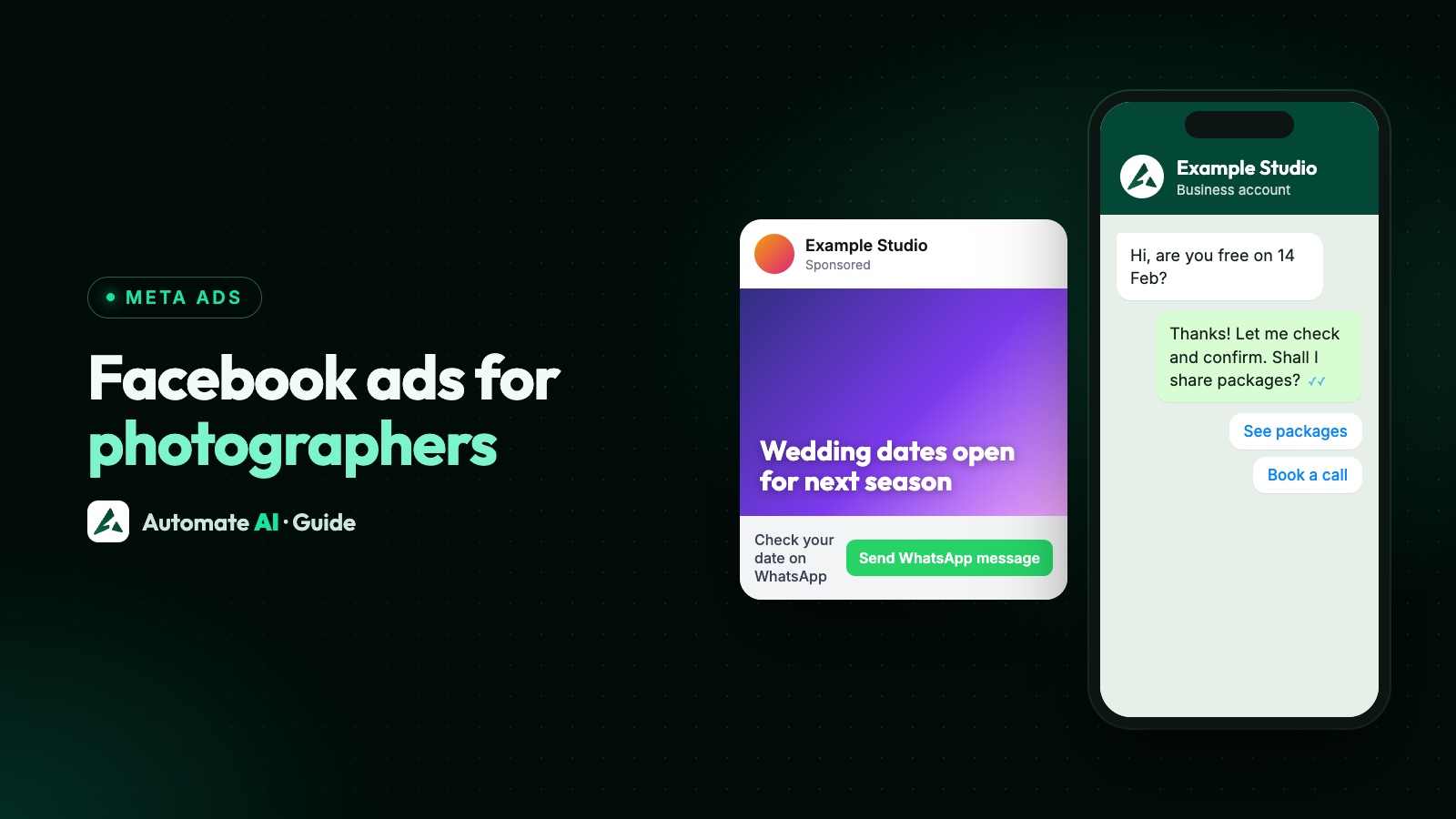
Facebook ads work for photographers when each ad sells one kind of shoot with your own real photos, reaches only the area you’ll travel to, and leads to a conversation where you check the date before you talk price. For weddings, that usually means a short lead form; for portraits, families, newborns and brand shoots, an ad that opens a WhatsApp chat.
This guide covers which ad to run for each kind of shoot, what to ask on a wedding lead form, sample ads for a made-up studio, the Meta rules photographers trip over, the first replies that turn an enquiry into a booked date, and how to set it all up in Automate AI.
Key takeaways
- Run one shoot type per ad: a wedding ad, a newborn ad and a brand-shoot ad bring different people with different questions.
- For weddings, use a lead form that asks the date and city first, then send each lead a WhatsApp message straight away.
- For portraits, families and newborns, an ad that opens a WhatsApp chat works well: the customer asks, you send packages and sample galleries in the chat.
- Meta prohibits lead form questions about a child’s date of birth or health, and ad text that implies someone’s age or health.
- Advantage+ creative enhancements can adjust the photos you upload. Check the preview and turn off any you don’t want.
- Judge ads by dates booked and deposits paid, not by the number of chats.
Do Facebook ads work for photographers?
They can, but not as a general “book a photographer” ad. People don’t search for a photographer the way they search for a plumber: they decide when something is coming up, such as a wedding, a baby, a birthday or a product launch. An ad works when it lands near that moment and shows exactly that kind of shoot.
Three things decide whether an ad pays for itself:
- The pictures. Your best five frames of one shoot type, not a mix of everything you’ve done.
- The date. Most enquiries fail because you’re already booked or the client is still months from deciding. Ask for the date in the first reply.
- Reply speed. People ask several photographers at once, and a fast, clear answer often wins.
Nobody can honestly promise a number of bookings from an ad, so start small and measure what matters (the last section shows how).
| Shoot type | Best ad | Your first question |
|---|---|---|
| Wedding or pre-wedding | Lead form ad, then a WhatsApp template | What’s the date, and which city? |
| Family or portrait | Ad that opens a WhatsApp chat | Indoor studio or outdoors, and roughly when? |
| Newborn or maternity | Ad that opens a WhatsApp chat | When is the baby due, or how old is the baby now? |
| Brand, product or food | Ad that opens a WhatsApp chat | How many products or dishes, and where will the photos be used? |
Wedding photographers: a lead form with the date first
Wedding enquiries need the same few details from everyone before a useful conversation can start, and many couples are comparing quietly. A Facebook or Instagram lead form suits that. Meta lets you add up to 15 questions in all, but four or five is plenty:
- Wedding date, as a short answer, or Not fixed yet as a choice.
- City or venue area. Use Meta’s City prefill question rather than writing your own: Meta prohibits custom questions that repeat its prefill questions.
- Which events, as multiple choice: pre-wedding shoot, ceremony, reception, all events.
- Photo only, or photo and video, as a choice.
- Budget range, as choices. Meta recommends ranges to keep the options short.
In Meta Ads Manager, the appointment request question also lets people ask for a time to visit your studio (the ad then shows only in the Facebook mobile app).
Add a line such as “Example Light Studio will contact you on WhatsApp about your wedding”, so the couple expects your message. With Automate AI’s Facebook Lead Ads integration (AI + Automation Plan and Series 4), each lead becomes a contact and gets an approved WhatsApp template straight away, and you can pick a different template for each ad. A sample first message:
“Hi {{1}}, thanks for asking Example Light Studio about your wedding. We’ll check your date and confirm on WhatsApp within the hour. Would you like our wedding packages as a PDF, or a quick call to talk it through? Reply STOP to opt out”
Step by step: how to create a Facebook lead form and Facebook Lead Ads to WhatsApp.
Sample ads for portraits, families, newborns and brands
Our own samples for a made-up studio, Example Light Studio. A chat ad has three pieces of text: the ad itself, the pre-filled message the customer sends (they can edit or delete it before sending), and the greeting your business shows when the chat opens. In Automate AI the greeting can be up to 300 characters and the pre-filled message up to 120.
| Shoot | Headline | Pre-filled message | Greeting |
|---|---|---|---|
| Family portraits | Outdoor family shoots this winter | Hi, I’d like a family shoot | Hi! How many people, and do you prefer a park or our studio? I’ll send packages. |
| Newborn | Newborn shoots in a calm, warm studio | Hi, I’m asking about a newborn shoot | Hi! Newborn shoots work best in the first weeks. When is the baby due, or how old is the baby? |
| Pre-wedding | Pre-wedding shoots at 3 city locations | Hi, please share pre-wedding packages | Hi! Congratulations. Which month are you thinking of? I’ll send our locations and prices. |
| Brand and product | Product photos for your online store | Hi, I need product photos | Hi! Roughly how many products, and is it white background or styled shots? |
Tips that matter for photographers:
- Use a carousel of 2 to 10 frames from one shoot to show range, or a short behind-the-scenes video. Automate AI takes videos as MP4 or MOV under 48 MB.
- Put a “from” price in the text if you’re happy to share it. It filters out bargain hunters.
- Use only photos you have permission to advertise with. A client agreeing to a portfolio post isn’t always agreeing to paid ads. Ask in writing, especially for photos of children.
More examples across industries are in Click-to-WhatsApp ad examples, and image sizes in WhatsApp ad sizes.
Meta’s rules that catch photography ads
Don’t imply you know someone’s age or health
Meta’s Advertising Standards say ads must not assert or imply personal attributes, including age and physical or mental health. Meta’s own disallowed examples include “Are you 18 years old?” and “Do you have diabetes?”. For photographers, that rules out lines like “Turning 50? Book a portrait”. Pregnancy isn’t named in the policy, but a line like “Just found out you’re pregnant?” points at the viewer in the same way, so it’s safer to avoid it. Talk about the shoot instead: “Milestone birthday portraits” or “Maternity shoots in a private studio”.
Lead form questions you can’t ask
Meta’s list of questions prohibited on instant forms includes the date of birth for a child and health information. So a newborn form can’t ask the baby’s date of birth, and it’s best to leave pregnancy questions out too. Ask “Which month would you like the shoot?” and sort out the details in the chat, where the parent chooses what to share. The same list bans asking for card or bank details, ID numbers and insurance details.
Meta may adjust your photos
Advantage+ creative enhancements are meant to adapt images and videos to what people respond to, and Meta says the media and text you upload may be adjusted. Some enhancements are on by default. If your colour grading and crop matter, check the ad preview (including the advanced preview, where some enhancements can only be switched off) and turn off any you don’t want before publishing.
First replies that turn a chat into a booked date
A photography enquiry has one deal-breaker: the date. Ask for it before anything else, so you never write a long price message to someone you can’t serve.
- Date and place: “Thanks for writing! Which date are you thinking of, and where would the shoot be?”
- Check your calendar and say clearly whether you’re free.
- Send packages as a PDF with two or three options, plus a few photos or a short video from a similar shoot. You can send images, videos and documents from the chat.
- Answer the usual questions before they ask: how many edited photos, how long delivery takes, travel charges, and what happens if the date moves.
- Ask for the decision: “Shall I hold the date for you? A booking amount of ₹5,000 confirms it.” (A made-up example amount.)
If you put your packages into your WhatsApp catalogue, your team can share one package, several (up to 30) or the whole catalogue in a chat, on every Automate AI plan, so the client can tap through instead of opening a PDF.
After hours, a chatbot in Automation › Flows (AI + Automation Plan and Series 4) can ask the shoot type with buttons (adding the contact to a group such as “Newborn”), then save the typed date and area to the contact with an Update Contact step, and hand the chat to you in the shared inbox. For session booking tools, see WhatsApp appointment booking.
Take the booking amount in the chat
Once the client says yes, ask for the booking amount while they’re still in the chat. In Automate AI, an owner or manager turns on payments in Settings › WhatsApp, and your team can then send a payment request from the chat: a Razorpay or PayU link from your own account (UPI and cards) or WhatsApp Pay in India. The chat is marked Paid when the money arrives.
Payment requests are in rupees only. If your clients pay in another currency, send a link from your own payment provider instead. WhatsApp payments for business covers the options by country.
Set up photography ads in Automate AI
Meta Ads is in Automate AI’s main menu on every plan, for account owners and managers. Meta bills the ad spend to your own ad account, and nothing is spent until you publish.
- Connect your ad account with Continue with Facebook and pick the ad account and Page. Chat ads open a chat with your connected WhatsApp number.
- Choose the goal: a WhatsApp chat ad, or a lead form ad for weddings.
- Describe the shoot in a line, such as “outdoor family shoots in Pune, 1 hour, 30 edited photos”. AI drafts the headline, text, audience and, for a chat ad, the greeting and pre-filled message using your own AI key from Settings; without one, write them yourself. Edit anything.
- Set the area you’ll travel to: a city with 17 to 80 km around it, your studio address or a map pin with 1 to 80 km around it, or PIN codes in India.
- Add your photos, carousel or video, set a daily budget and an end date, check the preview and publish. Meta reviews the ad before it runs.
- Tag each ad. In Settings › Lead Sources, add a phrase from the pre-filled message, such as “newborn shoot”, with a source such as “Ad: newborn”, so new chats are labelled.
Feature details are on the Click-to-WhatsApp ads page, and more on targeting in Meta ads targeting.
Free follow-up messages and what to measure
Meta’s pricing page says that when someone messages you from a Click-to-WhatsApp ad on the WhatsApp Android or iOS app and you reply within the 24-hour customer service window, a free entry point window opens that can stay open for up to 7 days. Meta doesn’t charge for marketing, utility, authentication or service messages in it, which usually covers packages, sample photos and the booking. Automate AI still charges its normal rates for those messages.
- Cost per chat or per lead, shown for every ad in Automate AI’s Meta Ads, including ads made in Ads Manager.
- Dates booked per ad, by marking contacts with a status such as “Date held” or “Booked”.
After the shoot, ask happy clients if they’d like to hear about mini-sessions (see WhatsApp opt-in), so the next offer can go to them as a template.
Frequently asked questions
Do Facebook ads work for photographers?
They can, when each ad shows one kind of shoot with your own photos, reaches the area you cover, and you reply quickly with availability. Results vary by area, season and price, so test with a small budget and count booked dates.
What are the best Facebook ads for wedding photographers?
A lead form ad that asks the wedding date, city, events and budget range, followed by a WhatsApp message straight away. Use your own wedding photos in a carousel or a short video.
Should photography ads go to my website or to WhatsApp?
Most photography bookings start with a question about the date and price, so a WhatsApp chat or a lead form usually works better than a website visit. A website suits people who want to browse your full portfolio first.
Can I ask for the baby’s date of birth on a newborn lead form?
No. Meta prohibits lead form questions about a child’s date of birth and about health. Ask which month they’d like the shoot and talk through the details in the chat.
Will Meta change my photos in the ad?
It can. Advantage+ creative enhancements may adjust the media you upload, and some are on by default. Check the ad preview and turn off any enhancements you don’t want before publishing.
Can I take a booking amount on WhatsApp?
In Automate AI you can send a Razorpay or PayU link, or use WhatsApp Pay in India, and the chat is marked Paid when the money arrives. Payment requests are in rupees only.
Sources
- Meta Advertising Standards: Privacy violations and personal attributes
- Meta Business Help Centre: Questions prohibited on your instant form
- Meta Business Help Centre: Add custom questions to your lead ads with instant form
- Meta Business Help Centre: Turn off Advantage+ creative enhancements in Meta Ads Manager
- Meta Business Help Centre: How to create pre-filled messages for ads that click to WhatsApp
- Meta: Pricing on the WhatsApp Business Platform (free entry point window)
- WhatsApp Business Messaging Policy
WhatsApp rules and prices change. We check these guides against Meta’s documentation, but always confirm current terms with Meta before you rely on them. Questions? Message us on WhatsApp at +91 836 977 8812.