Facebook Ads for Solar Companies: Rooftop Enquiries on WhatsApp
Facebook ads for solar installers that bring rooftop enquiries to WhatsApp: Meta’s rules on EMI offers, solar ad ideas, sample ads and first replies.
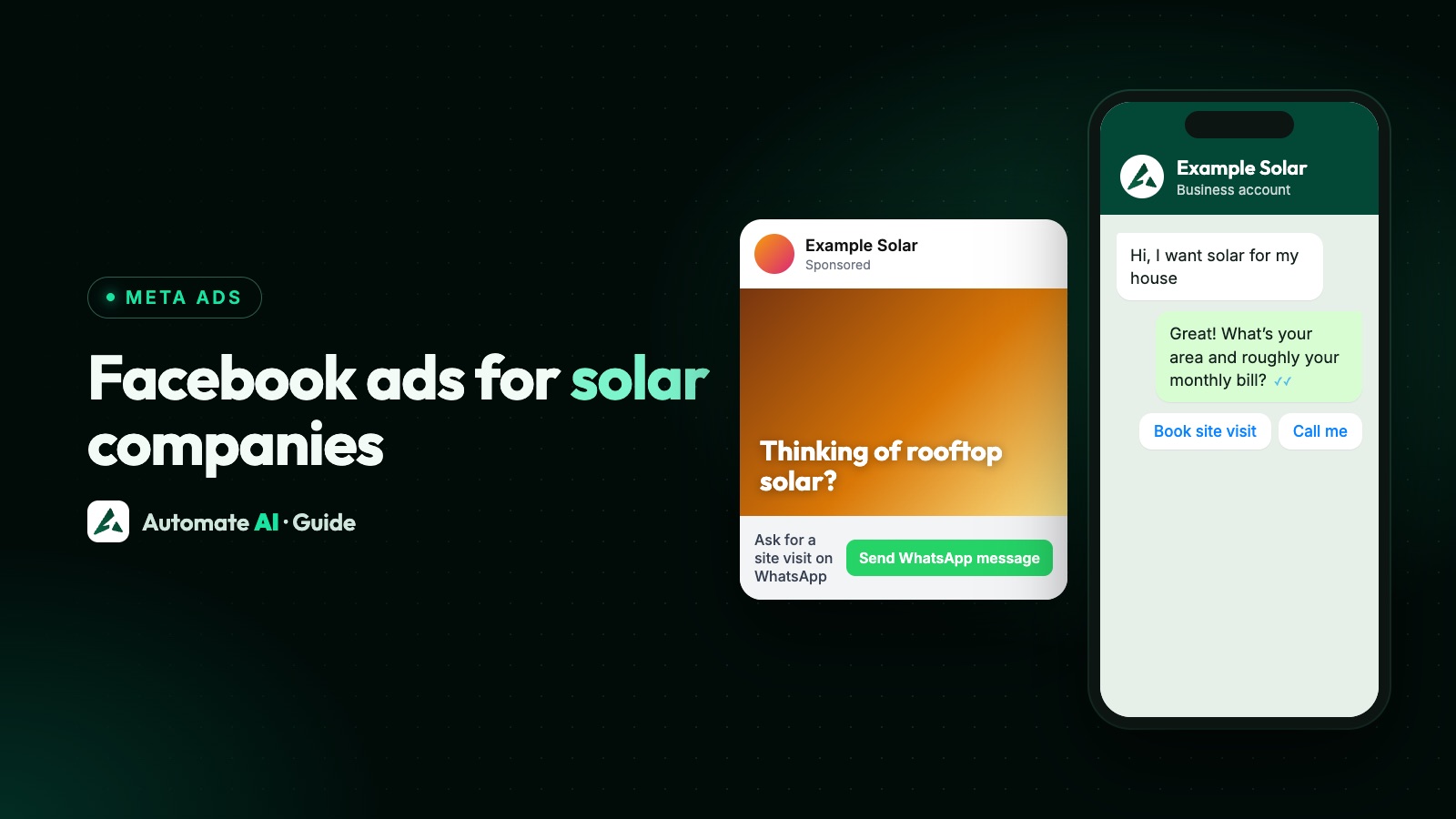
The Facebook ads that suit most solar companies open a WhatsApp chat, so a homeowner can send a roof photo and a rough monthly bill amount in one go, and your team can book a site survey from the same chat. For commercial rooftops and housing societies, a lead form ad with an instant WhatsApp follow-up works well too.
This guide is for rooftop solar installers and dealers. It covers Meta’s rules when an ad mentions loans or EMI, solar advertising ideas, sample ads and first replies for made-up businesses, and how to run it all from Automate AI.
Key takeaways
- A Click-to-WhatsApp ad suits home rooftops: the customer sends roof photos, the area and a rough bill amount in the chat.
- If an ad offers loans, EMI or long-term financing, Meta’s Financial products and services category may be required, and Meta’s finance rules apply wherever you advertise.
- Write about your system, not the reader’s money troubles: Meta bans ads that imply a vulnerable financial status.
- Never ask for the electricity account number, income or credit score on a lead form: Meta prohibits those questions.
- Don’t promise a savings figure in the ad. Give an estimate in the chat, after you know the roof and the bill.
- In Automate AI’s Meta Ads menu you can build both kinds of ad, and Facebook Leads sends each form lead a WhatsApp template straight away.
What a solar installer needs before a site survey
A rooftop quote depends on a few facts that are awkward on a web form and easy in a chat. Here is what to collect first, and the simplest way to get each one on WhatsApp:
| What you need | Why it matters | How to ask in the chat |
|---|---|---|
| Roof type and space | Sets how many panels fit and how they mount | Ask for two or three roof photos, taken from the corners |
| Shade | Trees, water tanks and taller buildings change the layout | Ask them to include anything that casts a shadow in the photos |
| Rough monthly bill amount | Sizes the system for the estimate | Ask for the amount as a number, not a photo of the bill |
| Area and building type | Your service area, and house, society or shop | Buttons: House, Housing society, Shop or office |
| Timing | Separates this-month buyers from research | Buttons: This month, In 3 months, Just looking |
The general local setup is in Facebook ads for local businesses, and building trades in Facebook ads for contractors. This post covers what’s different about solar.
Solar advertising ideas that aren’t just “save on your bill”
These angles give the customer a concrete reason to message you now. Made-up examples for a sample installer, with the pre-filled message the customer sends:
| Idea | Headline | Pre-filled message |
|---|---|---|
| Free roof check from photos | Will solar fit your roof? Send us a photo | Hi, can you check my roof for solar? |
| Housing societies | Solar for your society’s common areas | Hi, I’m asking for our housing society |
| Shops and small offices | Rooftop solar for shops and offices in Indore | Hi, I need solar for my shop |
| Existing panels | Panels dusty or underperforming? Book a service | Hi, I need my solar panels serviced |
| Battery or backup add-on | Add backup to your rooftop system | Hi, I’d like to add a battery |
| Financing (see the rules below) | Rooftop solar with EMI options through our lending partner | Hi, please tell me about EMI options |
Use photos or videos of your own installations, with the owner’s permission, not stock images. In Automate AI, the greeting (what your business says when the chat opens) can be up to 300 characters and the pre-filled message up to 120.
Loans, EMI and Meta’s finance rules
Many solar ads mention a loan partner or monthly payments. Meta’s page on financial products and services ads lists loans and long-term financing among its examples of credit offers, and in the US it adds things like 0% APR instalment payments, including in-house instalments. You must choose the Financial products and services special ad category if you’re an advertiser in the US or your audience is in the US, and for credit offers if you reach the US, Canada or the European countries Meta lists. If you skip it when it applies, Meta says the ad may be rejected. An Indian installer advertising only in India isn’t required to choose it.
Meta’s policy on financial and insurance products adds, for any country:
- Adults only. Ads for loans or credit may only target people aged 18 or over.
- Licences where required. Where a country requires authorisation to advertise loans, you must be able to show it.
- No short-term loans. Loans due within 90 days, and payday loans, can’t be promoted.
- No sensitive details in the ad. Ads can’t directly ask for card numbers, bank account numbers or similar financial details.
An ad only about panels and installation, with no finance offer, doesn’t need the financial category. Meta’s housing examples include housing repairs but don’t name solar, so if you advertise to the US, Canada or Europe, check them first. The full picture is in Meta special ad categories.
Wording that passes review
| Rule | Avoid | Write instead |
|---|---|---|
| Meta bans ads implying a vulnerable financial status | “Can’t afford your electricity bill?” | “Rooftop solar for homes in Nagpur” |
| Meta prohibits deceptive pricing | “Free installation” when the survey is the only free part | “Free site survey; installation priced after the visit” |
| Meta prohibits investment returns promised as certain | “Your system pays for itself in a fixed number of years, for sure” | “We’ll estimate your savings after seeing the roof” |
Setting up a solar ad in Automate AI
Meta Ads sits in the main menu on every plan, for account owners and managers, and Meta bills the ad spend to your own ad account. These are the choices that matter for a solar campaign:
| Setting | What to pick for solar |
|---|---|
| Goal | A WhatsApp chat ad for home rooftops; a lead form ad for societies and commercial roofs |
| Offer line | One sentence, such as “rooftop solar for homes in Nagpur, free roof check from photos”. AI drafts the headline, text and audience, and for a WhatsApp chat ad also the greeting and the customer’s first message |
| Area | Cities with 17 to 80 km around them, an address or map pin with 1 to 80 km, or PIN codes in India |
| Is this ad about any of these? | Loans, credit or insurance for a finance offer where it’s required; otherwise None of these |
| Creative | Photos or a video of your own installations |
If you choose Loans, credit or insurance, the app applies Meta’s limits: all ages and genders, at least 25 km around a place, and no PIN codes, interests, behaviours or demographics, exclusions or lookalike audiences. These ads also can’t use WhatsApp Status placements. Indian advertisers reaching only India aren’t required to pick the category, so a local radius and PIN codes stay open to them.
Nothing is spent until you publish, Meta reviews each ad first, and ads from this menu reach people aged 18 and over. The full builder is described on the Click-to-WhatsApp ads page and our Meta ads hub.
The first chat: from roof photo to survey slot
A sample greeting: “Hi, this is Example Solar. Send two or three photos of your roof and tell us your area, and we’ll check if solar fits.” Then keep the questions short and in this order:
- Building type: buttons for House, Housing society, Shop or office.
- Roof photos: “Please send two or three photos of the roof, including any water tanks or trees nearby.”
- Bill amount: “Roughly how much is your monthly electricity bill? A number is fine.”
- Ownership: “Is the roof yours, or shared with other flats?”
- Timing and visit: “We can visit Tuesday 11am or Friday 4pm. Which suits you?”
You can automate these questions with a chatbot (Automation › Flows, on the AI + Automation Plan and Series 4). Use a Collect Media step for the roof pictures and an Update Contact step to store the typed bill figure on the contact. Taps on the building-type buttons aren’t stored by Update Contact, so send each button to an Add to group step, such as a “Housing society” group. When the bot has the photos, a person on your team takes over in the shared inbox.
Give any savings estimate in the chat, once you’ve seen the roof and the bill, and label it as an estimate.
Housing societies and commercial roofs: use a lead form
Bigger jobs often involve a committee, so a form that collects the same details from everyone helps. Keep it short and allowed:
| Fine to ask | Meta prohibits asking |
|---|---|
| Building type: house, society, factory, shop | Account numbers, including utility, cable or telephone account numbers |
| Approximate roof area or number of floors | Income, net worth or credit score |
| Rough monthly bill band, as a choice question | Bankruptcy or debt status |
| When they want it installed | Bank account or card numbers |
| City, with Meta’s own prefill question | Your own question that repeats a Meta prefill question |
Meta says a form with prohibited questions won’t run. Two Ads Manager options can help with quality: the higher intent form type adds a review screen where people confirm their details (it shows only in Facebook and Instagram feeds on phones), and phone number verification asks people to confirm their number with a one-time code.
The form should also say you’ll reply on WhatsApp, for example “Example Solar will contact you on WhatsApp about your rooftop.” WhatsApp requires an opt-in that names your business; see WhatsApp opt-in. That wording goes in the form’s intro or a custom disclaimer, which you add in Ads Manager’s form editor. Automate AI’s Make a new form has no intro or disclaimer field, so build a form like this in Ads Manager and then pick it in Meta Ads.
Once the form is live, the Facebook Leads integration (AI + Automation Plan and Series 4) turns each submission into a contact and messages it on WhatsApp at once. Because the person hasn’t written to you, that first message has to be an approved template, and you can use a separate one for the society ad and the commercial ad. An example for a society lead:
“Hello {{1}}, Example Solar here about rooftop solar for {{2}}. Would your committee like a free roof survey? Reply with a day that suits you, or send roof photos first. Reply STOP to opt out”
Connection steps are in Facebook Lead Ads to WhatsApp, and the trade-offs in Facebook lead ads vs WhatsApp ads.
After the survey: follow-up and measuring
Most people won’t book on the first day. Plan the next few touches:
- After the survey: send the quote in the chat while the window is open, and answer questions there.
- Talk it through: with WhatsApp Calling (Settings › WhatsApp Calling, every plan) you can call from the chat once the customer has allowed calls; ask first with Ask permission to call. Calls you make are charged per minute from your wallet.
- Gentle reminders: a drip sequence can send a couple of approved templates over the following weeks. See WhatsApp drip campaigns and WhatsApp lead follow-up.
- Statuses: mark each contact “Survey booked”, “Quote sent” or “Won”, so you can see which ad brought paying work. Track which ads bring WhatsApp customers shows how.
Automate AI’s Meta Ads shows spend, chats started, cost per chat and new contacts for every ad, including ones made in Ads Manager. Judge ads on surveys booked and orders signed, not the cheapest chat; WhatsApp ads quality leads has ways to filter out casual chats. Nobody can promise installations from a budget.
Frequently asked questions
Do Facebook ads work for solar companies?
They can, but results depend on your area, price and reply speed, and nobody can promise installations. Test small and measure surveys booked and orders signed.
Do solar ads with EMI need a special ad category?
If you’re a US advertiser or reach people in the US, yes: Meta requires the Financial products and services category. Credit offers reaching Canada or Meta’s listed European countries need it too. Elsewhere it isn’t required, but Meta’s finance rules, such as 18+ targeting and licences where required, still apply.
Can I ask for a photo of the electricity bill?
It’s better not to. A bill shows the customer’s account number, and Meta bans account number questions on lead forms. Ask for the rough monthly amount as a number instead.
What are good solar advertising ideas?
A free roof check from photos, ads for housing societies or shops, servicing existing panels, a battery add-on, or a finance offer within Meta’s rules.
Can I say how much customers will save?
Not as a promise in the ad. Savings depend on the roof, shade, usage and tariff. Give an estimate in the chat once you know those, and label it as an estimate.
Who pays for ads made in Automate AI?
Meta bills the ad spend to your own Meta ad account. Making ads in the Meta Ads menu is included on every plan, and nothing is spent until you publish.
Sources
- Meta Business Help Centre: About ads for financial products and services
- Meta Business Help Centre: How to choose a Special Ad Category
- Meta Transparency Center: Financial and insurance products and services
- Meta Transparency Center: Privacy violations and personal attributes
- Meta Transparency Center: Prohibited commercial practices
- Meta Business Help Centre: Questions prohibited on your instant form
- Meta Business Help Centre: About instant form types
- Meta: Pricing on the WhatsApp Business Platform (free entry point window)
WhatsApp rules and prices change. We check these guides against Meta’s documentation, but always confirm current terms with Meta before you rely on them. Questions? Message us on WhatsApp at +91 836 977 8812.