WhatsApp API in Node.js: Send Messages and Handle Webhooks
Send WhatsApp messages from Node.js with the official Cloud API: built-in fetch for text and templates, and an Express webhook that checks Meta’s signature.
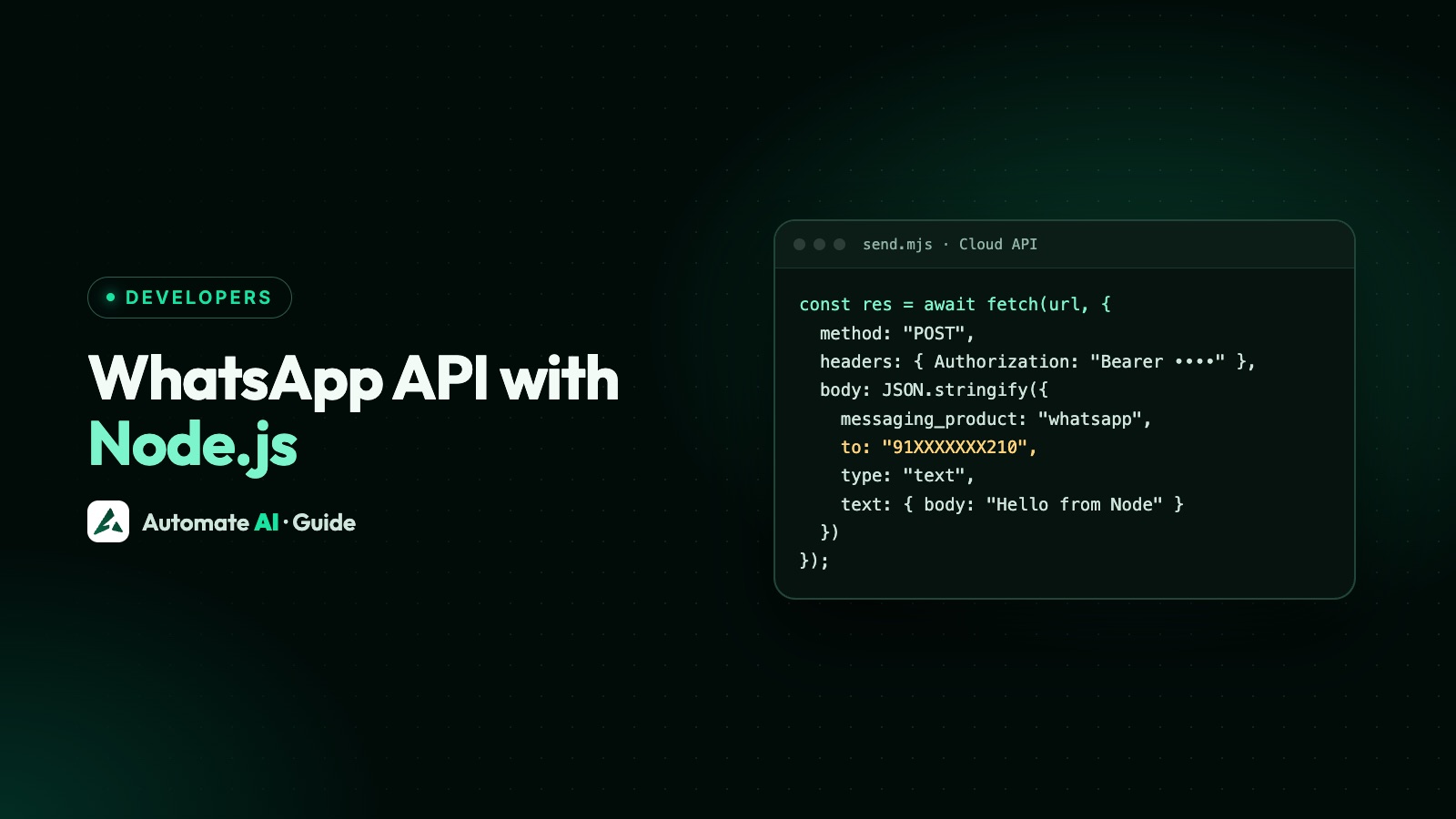
To send a WhatsApp message from Node.js, call fetch (built into Node) with a POST to https://graph.facebook.com/v27.0/<PHONE_NUMBER_ID>/messages, a Bearer access token and a JSON body. You don’t need an npm package for sending: Meta’s Cloud API is plain HTTPS and JSON. For receiving messages, a small Express app is enough.
This guide gives working Node.js code for a send helper, a text message, a template message, error handling, and an Express webhook that answers Meta’s verification and checks the X-Hub-Signature-256 signature on the raw body. It uses Graph API v27.0, which Meta’s changelog lists as the latest version (released 4 November 2026). Prefer Python? See the Python version of this guide.
Key takeaways
- Use a current Node.js LTS.
fetchneeds no flag since Node 18 and has been stable since Node 21, so sending needs no dependencies. - Every message is one POST to
/<PHONE_NUMBER_ID>/messages; only thetypeand its object change. - Outside the 24-hour window, only an approved template can be sent.
- In Express, use
express.raw()on the webhook route so you can hash the exact bytes Meta sent. - Avoid WhatsApp Web libraries such as whatsapp-web.js and Baileys: they aren’t the official API and can get the number banned.
What you need before you start
- Node.js, a current LTS release. You’ll run the files with
node --env-file=.env, which reads settings from a.envfile (available since Node 20.6). - A phone number ID and a WhatsApp Business Account. The ID isn’t the phone number itself; see how to find your phone number ID.
- A permanent system-user access token. The temporary token in API Setup expires quickly. The Cloud API setup guide shows how to make a permanent one.
- Your app secret and a verify token you make up, for the webhook.
- A test recipient who has agreed to hear from you, such as your own phone on Meta’s test number.
Create a project folder, run npm init -y and npm install express, and add "type": "module" to package.json so the files below can use import and top-level await. Put your settings in .env, one per line:
| Line in .env | What it is |
|---|---|
WHATSAPP_TOKEN=EAAB•••••••• | Your system-user token (masked here) |
PHONE_NUMBER_ID=1065•••••••• | The ID of the number you send from |
APP_SECRET=•••••••• | From your Meta app’s Basic settings, for webhook signatures |
VERIFY_TOKEN=pick-any-long-random-string | A string you choose and also type into the App Dashboard |
A send helper with built-in fetch
Save these lines, in order, as whatsapp.js. It builds the Messages URL once, sends any payload, and throws an error carrying Meta’s error code when a call fails:
| Line | whatsapp.js |
|---|---|
| 1 | const API_VERSION = "v27.0"; |
| 2 | const MESSAGES_URL = "https://graph.facebook.com/" + API_VERSION + "/" + process.env.PHONE_NUMBER_ID + "/messages"; |
| 3 | export async function send(payload) { |
| 4 | const res = await fetch(MESSAGES_URL, { method: "POST", headers: { Authorization: "Bearer " + process.env.WHATSAPP_TOKEN, "Content-Type": "application/json" }, body: JSON.stringify(payload), signal: AbortSignal.timeout(10000) }); |
| 5 | const data = await res.json().catch(() => ({})); |
| 6 | if (!res.ok) throw Object.assign(new Error(data.error?.message ?? "HTTP " + res.status), { code: data.error?.code, details: data.error?.error_data?.details, fbtraceId: data.error?.fbtrace_id }); |
| 7 | return data; |
| 8 | } |
Keep the version in that one constant. Meta’s own pages don’t all show the same version, so check the Graph API changelog when you build and change one line to upgrade. AbortSignal.timeout(10000) stops a request that hangs for more than 10 seconds.
Send a text message
Free-form text only works inside the 24-hour customer service window, which opens when the customer messages you. Save this as send-text.js and run node --env-file=.env send-text.js:
| Line | send-text.js |
|---|---|
| 1 | import { send } from "./whatsapp.js"; |
| 2 | const data = await send({ messaging_product: "whatsapp", recipient_type: "individual", to: "919800000000", type: "text", text: { preview_url: false, body: "Hi Priya, your table for 4 is booked for 8 pm today." } }); |
| 3 | console.log(data.contacts[0].wa_id, data.messages[0].id); |
tois the number with its country code. The demo number above is a placeholder; use your test recipient.- The response has
contacts[0].input(what you sent),contacts[0].wa_id(the WhatsApp ID, which can differ) andmessages[0].id, thewamid…that later status webhooks refer to. Store it. - A successful response means Meta accepted the request, not that the message was delivered. Delivery and read statuses arrive at your webhook.
Send a template message
Templates are the only messages you can send outside a customer service window, and only approved ones can be sent. The name and language.code must match the template exactly; the same name in another language is a different template. For a template order_update with the body “Hi {{1}}, your order {{2}} has shipped.”, save send-template.js:
| Line | send-template.js |
|---|---|
| 1 | import { send } from "./whatsapp.js"; |
| 2 | const params = [{ type: "text", text: "Priya" }, { type: "text", text: "ORD-1042" }]; |
| 3 | const data = await send({ messaging_product: "whatsapp", recipient_type: "individual", to: "919800000000", type: "template", template: { name: "order_update", language: { code: "en" }, components: [{ type: "body", parameters: params }] } }); |
| 4 | console.log(data.messages[0].id); |
Positional values go in the order of {{1}}, {{2}}. If the template was created with named parameters, add parameter_name to each value, for example { type: "text", parameter_name: "first_name", text: "Priya" }; named values can be in any order. A template with no variables needs no components at all.
Media headers, URL buttons and quick-reply payloads are extra components. The JSON for each is in how to send a WhatsApp template message with the API, and it works unchanged in send().
Handle errors
Because send() throws with Meta’s numeric code attached, you can branch on err.code rather than on the message text:
| Line | Inside your sending code |
|---|---|
| 1 | try { await send(payload); } |
| 2 | catch (err) { console.error(err.code, err.details, err.fbtraceId); if (err.code === 131047) { /* window closed: send a template */ } } |
| Code | Meaning | What to do |
|---|---|---|
| 190 | Access token expired or invalid | Switch to a permanent system-user token |
| 131047 | More than 24 hours since the customer last messaged | Send an approved template instead |
| 132001 | Template doesn’t exist in that language or isn’t approved | Copy the name and language code exactly from WhatsApp Manager |
| 130429 | Throughput limit reached | Queue sends and retry later with a growing delay |
These codes are the same ones covered, and checked against Meta’s error-code page, in our Python guide. The full list is in WhatsApp API error codes. fbtrace_id is what Meta’s support asks for when you report a problem.
Receive messages with an Express webhook
Meta sends incoming messages and delivery statuses to a webhook URL you own. Two parts matter: a GET handshake when you save the URL, and a signature check on every POST. The check is an HMAC-SHA256 of the body using your app secret, so you must hash the exact bytes Meta sent. That’s why the POST route uses express.raw() and not express.json(): parsing first and hashing later changes the bytes and breaks the check. Save server.js:
| Line | server.js |
|---|---|
| 1 | import express from "express"; |
| 2 | import crypto from "node:crypto"; |
| 3 | const app = express(); |
| 4 | app.get("/webhook", (req, res) => { |
| 5 | if (req.query["hub.mode"] === "subscribe" && req.query["hub.verify_token"] === process.env.VERIFY_TOKEN) return res.status(200).send(req.query["hub.challenge"]); |
| 6 | res.sendStatus(403); |
| 7 | }); |
| 8 | app.post("/webhook", express.raw({ type: "application/json", limit: "1mb" }), (req, res) => { |
| 9 | if (!Buffer.isBuffer(req.body)) return res.sendStatus(400); |
| 10 | const expected = Buffer.from("sha256=" + crypto.createHmac("sha256", process.env.APP_SECRET).update(req.body).digest("hex")); |
| 11 | const given = Buffer.from(req.get("x-hub-signature-256") ?? ""); |
| 12 | if (given.length !== expected.length || !crypto.timingSafeEqual(given, expected)) return res.sendStatus(401); |
| 13 | res.sendStatus(200); |
| 14 | try { const body = JSON.parse(req.body.toString("utf8")); for (const entry of body.entry ?? []) for (const change of entry.changes ?? []) handle(change.value ?? {}); } catch (err) { console.error(err); } |
| 15 | }); |
| 16 | function handle(value) { |
| 17 | for (const m of value.messages ?? []) console.log("message", m.id, m.from, m.type, m.text?.body); |
| 18 | for (const s of value.statuses ?? []) console.log("status", s.id, s.status); |
| 19 | } |
| 20 | app.listen(process.env.PORT ?? 3000, () => console.log("Webhook listening")); |
- Handshake (lines 4 to 7): Meta sends
hub.mode=subscribe, yourhub.verify_tokenand a randomhub.challenge. Return the challenge with 200 if the token matches; Meta only starts sending events after that. - Signature (lines 10 to 12): the header looks like
sha256=<hash>.timingSafeEqualcompares in constant time, but it throws if the two buffers differ in length, so the length check comes first. - Answer, then work (lines 13 and 14): reply 200 straight away, then process. One POST can carry several entries and changes, so loop over all of them.
- Messages and statuses (lines 16 to 19): text is in
m.text.bodyand the sender inm.from; statuses carry thewamidyou saved when sending.
To reply automatically, import send from ./whatsapp.js in server.js and call it inside handle(). The customer has just messaged you, so the window is open and free-form text is allowed. In production, push the work to a queue instead, so a slow reply never delays the 200.
Test locally, then go live
- Run
node --env-file=.env server.js. - Meta can only call a public HTTPS URL with a valid certificate; self-signed certificates aren’t supported. Deploy the app to a server, or use a tunnelling tool while testing, and note the public address.
- In your Meta app’s dashboard, open the WhatsApp webhook settings and enter that address plus
/webhookas the callback URL, with the same verify token as in.env. Save, and the handshake runs. - Subscribe to the messages webhook field, and make sure the app is subscribed to your WhatsApp Business Account (
POST /<WABA_ID>/subscribed_apps). - Send a message from your phone to the business number and watch the log. Then run
send-text.jsand look for thesent,deliveredandreadstatuses.
Payloads, statuses and retries are explained in WhatsApp Cloud API webhooks. If nothing arrives, work through WhatsApp webhook not receiving messages.
Why not whatsapp-web.js or Baileys?
Search for “WhatsApp Node.js” and npm packages such as whatsapp-web.js and Baileys come up first. They aren’t Meta’s API. They log in like a linked device, usually by scanning a QR code, and drive WhatsApp Web from code. WhatsApp says using unofficial versions breaks its Terms of Service and can lead to a temporary or permanent ban, and whatsapp-web.js itself warns that you may be blocked. You also get no approved templates, no webhooks from Meta and no support.
The Cloud API costs nothing extra to use from Node.js: what you pay for is mainly the messages you send, by category and country, as explained in is the WhatsApp API free?. More on the difference in official vs unofficial WhatsApp APIs.
Node.js with Automate AI, or no code at all
If your team would rather not run a webhook server, Automate AI connects your number and hosts Meta’s webhooks for you. Your team gets a shared inbox, campaigns that send approved templates to groups or chosen contacts now or on a schedule, and chatbots built without code.
Developers can still use Node.js: Automate AI has a REST API with endpoints for contacts, messages, templates, campaigns and automations, API keys, webhooks and a Zapier app. The API and webhooks are included on the AI + Automation Plan and Series 4; see the WhatsApp Business API page and pricing.
Frequently asked questions
How do I send a WhatsApp message with Node.js?
POST a JSON body to https://graph.facebook.com/v27.0/<PHONE_NUMBER_ID>/messages with fetch, an Authorization: Bearer header and messaging_product: "whatsapp", to, type and the message object.
Is there an official WhatsApp npm package?
You don’t need one. The Cloud API is plain HTTPS, so Node’s built-in fetch is enough. Packages that automate WhatsApp Web, such as whatsapp-web.js or Baileys, aren’t the official API.
Why does my Express webhook fail the signature check?
Usually because the body was parsed as JSON before hashing. Use express.raw({ type: "application/json" }) on the webhook route and hash req.body, the raw Buffer, with your app secret.
Can I message a customer who hasn’t written to me?
Only with an approved template, and only if they’ve agreed to hear from you. Free-form text needs an open 24-hour window.
Which Graph API version should I use?
The latest in Meta’s changelog. On 22 November 2026 that is v27.0, released on 4 November 2026. Keep it in one constant so upgrading is a one-line change.
Do I have to use Express for the webhook?
No. Any Node.js framework works if it lets you read the raw request body for the signature check, answer the GET handshake with hub.challenge, and return 200 quickly.
Sources
- Meta: Send messages
- Meta: Templates overview
- Meta: Create a webhook endpoint
- Meta: Graph API changelog
- Node.js: Global objects (fetch)
- Node.js: Command-line options (--env-file)
- WhatsApp Help Center: About unofficial WhatsApp apps
- whatsapp-web.js on GitHub (README)
WhatsApp rules and prices change. We check these guides against Meta’s documentation, but always confirm current terms with Meta before you rely on them. Questions? Message us on WhatsApp at +91 836 977 8812.