WhatsApp API in C#: Send Messages and Verify Webhooks in .NET
Send WhatsApp messages from C# with the official Cloud API: a typed HttpClient for text and templates, and an ASP.NET Core webhook that checks the signature.
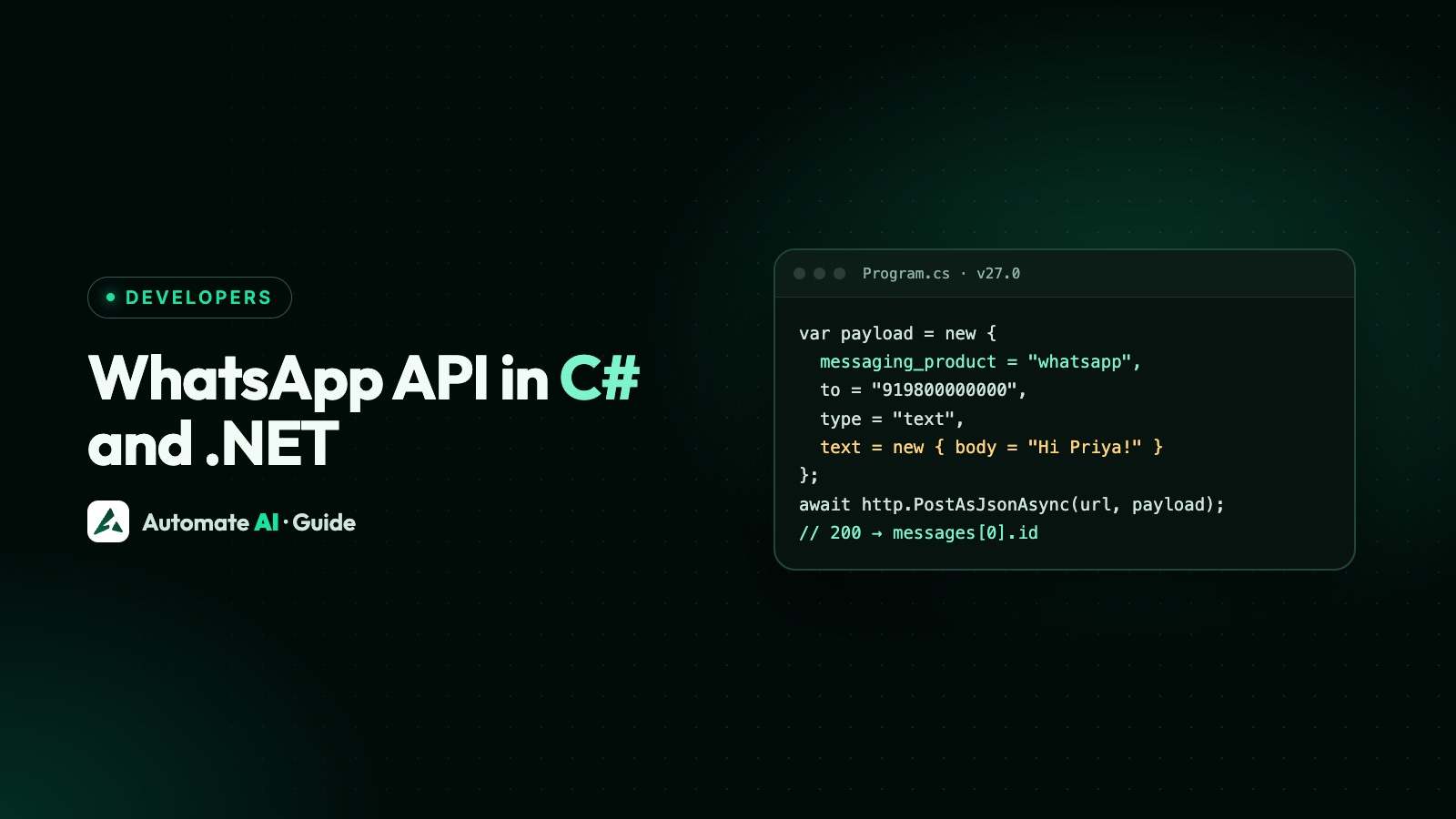
To send a WhatsApp message from C#, POST JSON to https://graph.facebook.com/v27.0/<PHONE_NUMBER_ID>/messages with HttpClient and an Authorization: Bearer header. Meta’s Cloud API is plain HTTPS and JSON, so .NET’s own HttpClient and System.Text.Json are all you need. No NuGet package is required.
This guide builds one small ASP.NET Core project: a typed WhatsAppClient registered with IHttpClientFactory, a text message, a template message built from C# records, error handling with exception filters, and a minimal API webhook that answers Meta’s handshake and checks the X-Hub-Signature-256 signature. It uses Graph API v27.0, the latest version in Meta’s changelog (released 4 November 2026). Working in another language? See the Python or Node.js versions.
Key takeaways
- Use .NET 8 or later. Everything here is in the box:
HttpClient,System.Text.JsonandHMACSHA256. - Register the client with
AddHttpClient<WhatsAppClient>()so sockets are reused, and keep the Graph API version in one base address. - Serialise with
JsonNamingPolicy.SnakeCaseLower, so C# properties likeMessagingProductbecome Meta’smessaging_product. - In the webhook, read the raw body bytes yourself and compare signatures with
CryptographicOperations.FixedTimeEquals. - Meta publishes no C# SDK for the Cloud API. Avoid NuGet packages that drive WhatsApp Web: they aren’t the official API.
What you need before you start
- The .NET SDK, version 8 or later. The code uses C# 12 primary constructors and collection expressions.
- A phone number ID for your business number. It isn’t the phone number itself; see how to find your phone number ID.
- A permanent system-user access token. The token from Generate access token in API Setup is temporary. Our Cloud API setup guide shows how to make a permanent one.
- Your app secret (Basic settings in your Meta app) and a verify token you invent, for the webhook.
- A test recipient who has agreed to hear from you, such as your own phone on Meta’s test number.
Create the project and store the settings as user secrets, which live outside the project folder and never reach Git:
| Command | What it does |
|---|---|
dotnet new web -n WhatsAppDemo | An empty ASP.NET Core app with a minimal Program.cs |
dotnet user-secrets init | Adds a UserSecretsId to the project file |
dotnet user-secrets set "WhatsApp:Token" "EAAB••••" | Your system-user token (masked here) |
dotnet user-secrets set "WhatsApp:PhoneNumberId" "1065••••" | The ID of the number you send from |
dotnet user-secrets set "WhatsApp:AppSecret" "••••" | For checking webhook signatures |
dotnet user-secrets set "WhatsApp:VerifyToken" "any-long-random-string" | The string you’ll also type into the App Dashboard |
A typed WhatsApp client with HttpClient
Creating a new HttpClient for every message can exhaust sockets under load. Register a typed client instead, so .NET manages the connections. Replace the template’s Program.cs with these lines (the web template already imports System.Net.Http.Json and the ASP.NET Core namespaces through implicit usings):
| Line | Program.cs (top) |
|---|---|
| 1 | using System.Net.Http.Headers; |
| 2 | using System.Security.Cryptography; |
| 3 | using System.Text; |
| 4 | using System.Text.Json; |
| 5 | using System.Text.Json.Nodes; |
| 6 | using System.Text.Json.Serialization; |
| 7 | var builder = WebApplication.CreateBuilder(args); |
| 8 | builder.Services.AddHttpClient<WhatsAppClient>(c => { c.BaseAddress = new Uri("https://graph.facebook.com/v27.0/"); c.Timeout = TimeSpan.FromSeconds(10); }); |
| 9 | var app = builder.Build(); |
| 10 | // endpoints from the next sections go here |
| 11 | app.Run(); |
The base address must end with a slash, and the request path below must not start with one, or .NET drops the version segment. Now add the client class at the bottom of Program.cs, after app.Run(); (C# requires type declarations after top-level statements):
| Line | Program.cs (bottom) |
|---|---|
| 1 | public class WhatsAppClient(HttpClient http, IConfiguration config) |
| 2 | { |
| 3 | static readonly JsonSerializerOptions Options = new() { PropertyNamingPolicy = JsonNamingPolicy.SnakeCaseLower, DefaultIgnoreCondition = JsonIgnoreCondition.WhenWritingNull }; |
| 4 | public async Task<JsonNode?> SendAsync(object payload) |
| 5 | { |
| 6 | using var request = new HttpRequestMessage(HttpMethod.Post, $"{config["WhatsApp:PhoneNumberId"]}/messages") { Content = JsonContent.Create(payload, payload.GetType(), options: Options) }; |
| 7 | request.Headers.Authorization = new AuthenticationHeaderValue("Bearer", config["WhatsApp:Token"]); |
| 8 | using var response = await http.SendAsync(request); |
| 9 | var data = await response.Content.ReadFromJsonAsync<JsonNode>(); |
| 10 | return response.IsSuccessStatusCode ? data : throw new WhatsAppException(data?["error"]); |
| 11 | } |
| 12 | } |
| 13 | public class WhatsAppException(JsonNode? error) : Exception(error?["message"]?.ToString() ?? "WhatsApp API error") |
| 14 | { public int? Code { get; } = (int?)error?["code"]; public string? Details { get; } = error?["error_data"]?["details"]?.ToString(); public string? TraceId { get; } = error?["fbtrace_id"]?.ToString(); } |
SendAsync takes an anonymous object or a record; payload.GetType() makes sure the real type is serialised, and the response comes back as a JsonNode.
Send a text message
Free-form text only reaches someone whose 24-hour customer service window is open, which happens when they message you. To try it, add a development-only endpoint to Program.cs, before app.Run();:
| Line | Program.cs (middle) |
|---|---|
| 1 | if (app.Environment.IsDevelopment()) |
| 2 | app.MapPost("/dev/send-text", async (WhatsAppClient wa) => |
| 3 | { var data = await wa.SendAsync(new { messaging_product = "whatsapp", recipient_type = "individual", to = "919800000000", type = "text", text = new { preview_url = false, body = "Hi Priya, your appointment is confirmed for 4 pm tomorrow." } }); |
| 4 | return Results.Ok(data?["messages"]?[0]?["id"]?.ToString()); }); |
tois the number with its country code. The one above is a placeholder; use your test recipient.- The response holds
contacts[0].wa_idandmessages[0].id, thewamid…that later status webhooks refer to. Save it. - A 200 means Meta accepted the request, not that the message was delivered. Delivery and read statuses arrive at your webhook.
Run dotnet run and POST to /dev/send-text; IsDevelopment() keeps this endpoint out of production. More in the WhatsApp 24-hour rule.
Send a template message with C# records
Templates are the only messages you can send outside a customer service window, and Meta only sends templates with the status APPROVED. Records give you compile-time checks on the shape. Add these at the bottom of Program.cs:
| Line | Program.cs (bottom) |
|---|---|
| 1 | public record Parameter(string Text, string? ParameterName = null) { public string Type => "text"; } |
| 2 | public record Component(string Type, Parameter[] Parameters); |
| 3 | public record Language(string Code); |
| 4 | public record Template(string Name, Language Language, Component[]? Components = null); |
| 5 | public record TemplateMessage(string To, Template Template) { public string MessagingProduct => "whatsapp"; public string RecipientType => "individual"; public string Type => "template"; } |
With SnakeCaseLower, MessagingProduct is written as messaging_product and ParameterName as parameter_name, and WhenWritingNull leaves out empty optional values. For a template order_update with the body “Hi {{1}}, your order {{2}} has shipped.”:
| Step | C# |
|---|---|
| Build | var message = new TemplateMessage("919800000000", new Template("order_update", new Language("en"), [new Component("body", [new Parameter("Priya"), new Parameter("ORD-1042")])])); |
| Send | var data = await wa.SendAsync(message); |
| Named parameters | new Parameter("Priya", ParameterName: "first_name"), for templates created with named variables |
| No variables | new Template("hello_world", new Language("en_US")), with no components at all |
Positional values go in the order of {{1}}, {{2}}; named values can come in any order. The name and language code must match the approved template exactly. Media headers and buttons are extra components, shown in how to send a WhatsApp template message with the API.
Handle errors with exception filters
Because SendAsync throws a WhatsAppException carrying Meta’s numeric code, C# exception filters let you handle each case cleanly:
| Line | Wherever you send |
|---|---|
| 1 | try { await wa.SendAsync(message); } |
| 2 | catch (WhatsAppException ex) when (ex.Code == 131047) { /* window closed: send an approved template instead */ } |
| 3 | catch (WhatsAppException ex) { logger.LogError("WhatsApp error {Code}: {Details} ({TraceId})", ex.Code, ex.Details, ex.TraceId); } |
| Code | Meaning | What to do |
|---|---|---|
| 190 | Access token expired or invalid | Switch to a permanent system-user token |
| 131047 | More than 24 hours since the customer last messaged | Send an approved template |
| 132001 | Template doesn’t exist in that language or isn’t approved | Copy the name and language code from WhatsApp Manager |
| 130429 | Throughput limit reached | Queue sends and retry with a growing delay |
Branch on the number, not the message text, and log fbtrace_id for Meta’s support. The full list is in WhatsApp API error codes.
Receive messages with an ASP.NET Core webhook
Meta sends incoming messages and delivery statuses to a URL you own. First it checks the URL with a GET handshake, then it signs every POST with X-Hub-Signature-256: sha256= plus an HMAC-SHA256 of the raw body, keyed with your app secret. The C# trap is model binding: if the handler takes a typed body parameter, ASP.NET Core parses the JSON first and the exact bytes are gone. So the POST handler takes HttpRequest and reads the bytes itself. Add this after var app = builder.Build(); and before app.Run();:
| Line | Program.cs (middle) |
|---|---|
| 1 | var verifyToken = app.Configuration["WhatsApp:VerifyToken"] ?? throw new InvalidOperationException("Set WhatsApp:VerifyToken"); |
| 2 | var appSecret = Encoding.UTF8.GetBytes(app.Configuration["WhatsApp:AppSecret"] ?? throw new InvalidOperationException("Set WhatsApp:AppSecret")); |
| 3 | app.MapGet("/webhook", (HttpRequest req) => req.Query["hub.mode"] == "subscribe" && req.Query["hub.verify_token"] == verifyToken ? Results.Text(req.Query["hub.challenge"].ToString()) : Results.StatusCode(403)); |
| 4 | app.MapPost("/webhook", async (HttpRequest req, ILogger<Program> log) => |
| 5 | { |
| 6 | using var ms = new MemoryStream(); await req.Body.CopyToAsync(ms); var body = ms.ToArray(); |
| 7 | var expected = Encoding.UTF8.GetBytes("sha256=" + Convert.ToHexString(HMACSHA256.HashData(appSecret, body)).ToLowerInvariant()); |
| 8 | var given = Encoding.UTF8.GetBytes(req.Headers["X-Hub-Signature-256"].ToString()); |
| 9 | if (!CryptographicOperations.FixedTimeEquals(given, expected)) return Results.Unauthorized(); |
| 10 | foreach (var entry in Arr(JsonNode.Parse(body)?["entry"])) foreach (var change in Arr(entry?["changes"])) |
| 11 | { var value = change?["value"]; |
| 12 | foreach (var m in Arr(value?["messages"])) log.LogInformation("message {Id} from {From}: {Text}", m?["id"], m?["from"], m?["text"]?["body"]); |
| 13 | foreach (var s in Arr(value?["statuses"])) log.LogInformation("status {Id}: {Status}", s?["id"], s?["status"]); } |
| 14 | return Results.Ok(); |
| 15 | }); |
| 16 | static JsonArray Arr(JsonNode? node) => node as JsonArray ?? new JsonArray(); |
- Handshake (line 3): Meta sends
hub.mode=subscribe, your verify token and a randomhub.challenge. Return the challenge as plain text with 200, or 403 if the token is wrong. - Signature (lines 6 to 9): the hash is computed over the exact bytes received.
FixedTimeEqualscompares without leaking timing, and simply returns false if the lengths differ, so a missing header fails safely. - Payload (lines 10 to 13): one POST can hold several entries and changes, so loop over all of them.
Arrturns a missing array into an empty one. Text is intext.bodyand the sender infrom.
Go live: HTTPS, callback URL and a background queue
- Deploy to a host with a public HTTPS address and a valid certificate, with the settings as environment variables. Meta doesn’t accept self-signed certificates.
- In your Meta app’s dashboard, open the WhatsApp webhook settings, enter
https://your-domain/webhookas the callback URL with the same verify token, and save. The handshake runs straight away. - Subscribe to the messages webhook field and check that the app is subscribed to your WhatsApp Business Account.
- Message the business number from your phone and watch the log, then send a reply with
wa.SendAsync()while the window is open.
Keep the POST handler fast and always answer 200 once the signature checks out: Meta treats any other response as a failure and retries it for up to 7 days. Write each value to a singleton Channel<JsonNode> and process it in a BackgroundService, which is also where automatic replies with WhatsAppClient belong.
Payload shapes, statuses and retries are covered in WhatsApp Cloud API webhooks. If nothing arrives, work through WhatsApp webhook not receiving messages.
NuGet packages for WhatsApp: what to check
Meta documents the Cloud API as HTTP requests and doesn’t publish a C# or .NET SDK. If you use a community NuGet wrapper, check that it calls graph.facebook.com with your own token, keeps up with new Graph API versions and exposes Meta’s error codes. Avoid packages that log in with a QR code or drive WhatsApp Web: WhatsApp says unofficial apps break its terms and can get a number banned. More in official vs unofficial WhatsApp APIs, and on costs in is the WhatsApp API free?.
C# with Automate AI, or no code at all
If you’d rather not host webhooks and token handling yourself, Automate AI connects your number to Meta and receives the webhooks for you. Your team gets a shared inbox, campaigns that send approved templates to groups now or on a schedule, and chatbots built without code.
Your .NET code can still drive it: Automate AI has a REST API with API keys and endpoints for contacts, messages, templates, campaigns and automations, plus developer webhooks such as message received and status updates. There’s no C# SDK, but the same HttpClient pattern works against it. The API and webhooks are included on the AI + Automation Plan and Series 4; see the WhatsApp Business API page and pricing.
Frequently asked questions
How do I send a WhatsApp message with C#?
POST a JSON body to https://graph.facebook.com/v27.0/<PHONE_NUMBER_ID>/messages with HttpClient, an Authorization: Bearer header and messaging_product: "whatsapp", to, type and the message object. JsonContent.Create or PostAsJsonAsync handle the JSON.
Is there an official WhatsApp SDK for C# or .NET?
Meta doesn’t publish one for the Cloud API. Its documentation describes plain HTTP requests, which HttpClient and System.Text.Json cover completely.
Why does my ASP.NET Core webhook fail the signature check?
Usually because the body was bound to a model or read as a string and re-encoded before hashing. Take HttpRequest, copy Request.Body into a byte array, and hash those exact bytes with your app secret.
Why does Meta reject my C# JSON?
Often because properties were serialised in PascalCase or camelCase. Meta expects snake_case names such as messaging_product, so use JsonNamingPolicy.SnakeCaseLower or anonymous objects with snake_case names.
Which Graph API version should I use?
The latest in Meta’s changelog. On 27 November 2026 that is v27.0, released on 4 November 2026. Keep it in the BaseAddress so upgrading is a one-line change.
Sources
- Meta: Send messages
- Meta: Templates overview
- Meta: Create a webhook endpoint
- Meta: Get started with the Cloud API
- Meta: Graph API changelog
- Microsoft Learn: JsonNamingPolicy.SnakeCaseLower
- Microsoft Learn: CryptographicOperations.FixedTimeEquals
- Microsoft Learn: Safe storage of app secrets in development
WhatsApp rules and prices change. We check these guides against Meta’s documentation, but always confirm current terms with Meta before you rely on them. Questions? Message us on WhatsApp at +91 836 977 8812.