WhatsApp API PHP Tutorial: Send Messages With cURL, Guzzle and Laravel
Send WhatsApp messages with PHP and the official Cloud API: cURL, Guzzle and Laravel code for text and templates, and a webhook that checks Meta’s signature.
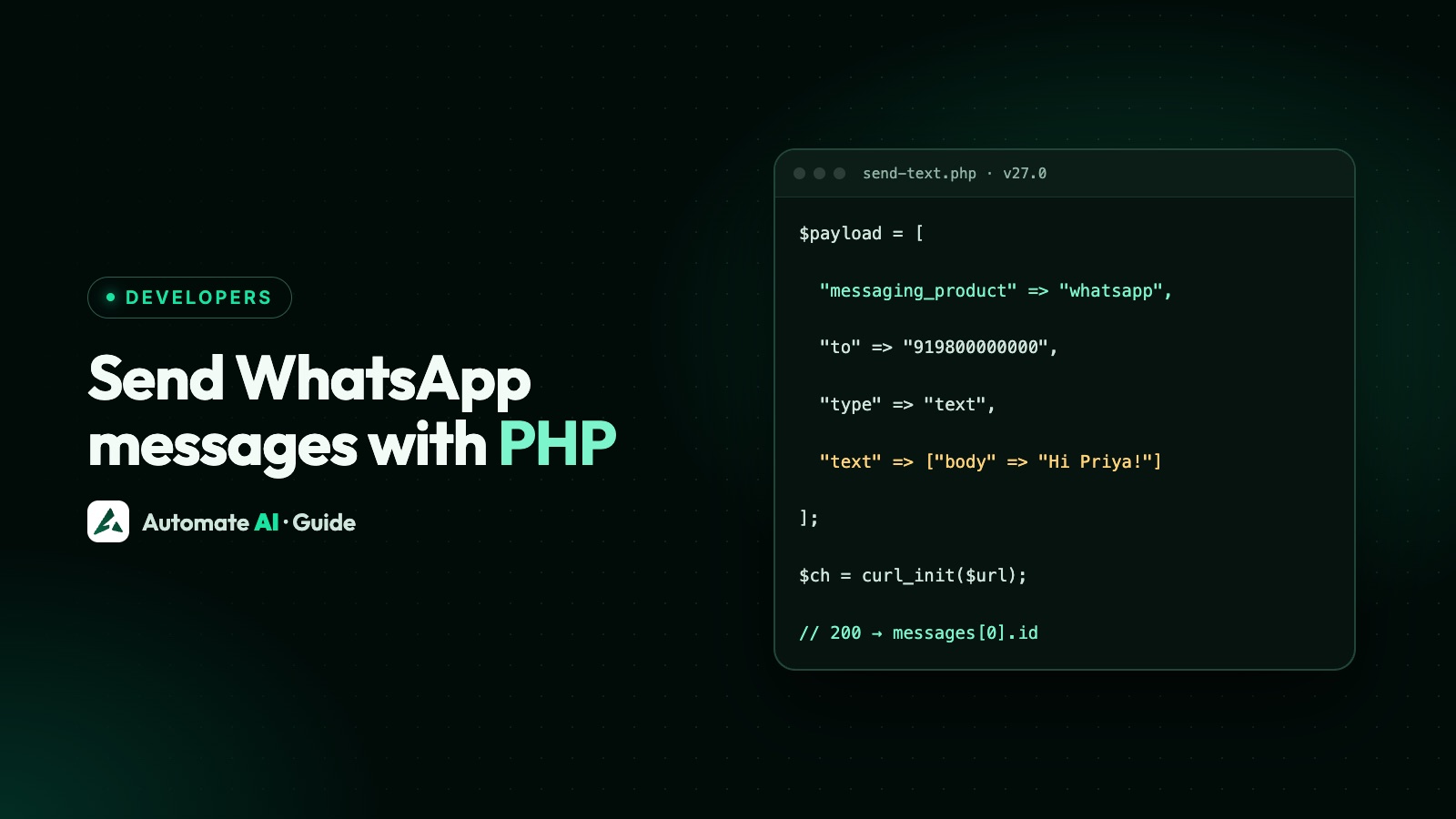
To send a WhatsApp message with PHP, POST a JSON body to https://graph.facebook.com/v27.0/<PHONE_NUMBER_ID>/messages with a Bearer access token, using PHP’s cURL extension, Guzzle or Laravel’s Http client. Meta’s Cloud API is plain HTTPS and JSON, so you don’t need a WhatsApp package from GitHub to use it.
This guide gives working PHP for a text message with plain cURL, a template message with Guzzle, a small Laravel service, and a Laravel webhook route that answers Meta’s verification and checks the X-Hub-Signature-256 signature. It uses Graph API v27.0, the latest version in Meta’s changelog (released 4 November 2026). Working in another language? See the Python and Node.js versions.
Key takeaways
- You need a phone number ID, a permanent access token and a recipient who has opted in. Any PHP HTTP client works.
- Every message is one POST to
/<PHONE_NUMBER_ID>/messages; onlytypeand its object change. - Outside the 24-hour customer service window, only an approved template can be sent.
- PHP turns the dots in
hub.modeinto underscores, so readhub_mode,hub_verify_tokenandhub_challengein your webhook. - Check the signature against the raw body (
php://inputor$request->getContent()) and exclude the webhook route from Laravel’s CSRF check.
What you need before you start
- PHP 8 with the cURL extension, which most hosts have. Composer if you want Guzzle or Laravel.
- A phone number ID and a WhatsApp Business Account. The ID isn’t the phone number; see how to find your phone number ID.
- A permanent system-user access token. The temporary token in API Setup expires quickly. The Cloud API setup guide shows how to create a permanent one.
- Your app secret and a verify token you make up, both for the webhook.
- A test recipient who has agreed to hear from you, such as your own phone on Meta’s test number.
Keep these values in environment variables, never in a PHP file that goes into Git. In Laravel they go in .env. The examples read them with getenv() (plain PHP) or config() (Laravel):
| Variable | What it is |
|---|---|
WHATSAPP_TOKEN=EAAB•••••••• | System-user token (masked here) |
WHATSAPP_PHONE_NUMBER_ID=1065•••••••• | The ID of the number you send from |
WHATSAPP_APP_SECRET=•••••••• | From your Meta app’s Basic settings, for webhook signatures |
WHATSAPP_VERIFY_TOKEN=pick-a-long-random-string | A string you choose and also type into the App Dashboard |
Send a text message with plain PHP and cURL
Free-form text only works inside the customer service window: 24 hours from the customer’s last message to you (see the 24-hour rule). This script needs nothing but PHP’s cURL extension. Save it as send-text.php and run php send-text.php:
| Line | send-text.php |
|---|---|
| 1 | <?php |
| 2 | $url = "https://graph.facebook.com/v27.0/" . getenv("WHATSAPP_PHONE_NUMBER_ID") . "/messages"; |
| 3 | $payload = ["messaging_product" => "whatsapp", "recipient_type" => "individual", "to" => "919800000000", "type" => "text", "text" => ["preview_url" => false, "body" => "Hi Priya, your table for 4 is booked for 8 pm today."]]; |
| 4 | $ch = curl_init($url); |
| 5 | curl_setopt_array($ch, [CURLOPT_POST => true, CURLOPT_HTTPHEADER => ["Authorization: Bearer " . getenv("WHATSAPP_TOKEN"), "Content-Type: application/json"], CURLOPT_POSTFIELDS => json_encode($payload), CURLOPT_RETURNTRANSFER => true, CURLOPT_TIMEOUT => 10]); |
| 6 | $body = curl_exec($ch); |
| 7 | $status = curl_getinfo($ch, CURLINFO_HTTP_CODE); |
| 8 | if ($body === false) { error_log("cURL error: " . curl_error($ch)); exit(1); } |
| 9 | $data = json_decode($body, true) ?? []; |
| 10 | if ($status < 200 || $status >= 300) { error_log(($data["error"]["code"] ?? $status) . " " . ($data["error"]["error_data"]["details"] ?? "")); } else { echo $data["messages"][0]["id"], PHP_EOL; } |
tois the number with its country code, as digits. The number above is a demo; use your test recipient.- The response holds
messages[0].id, thewamid…that later status webhooks refer to. Store it with the order or ticket. - A 200 means Meta accepted the message, not that it was delivered. Delivered and read statuses arrive at your webhook.
Send a template message with Guzzle
Templates are the only messages you can send outside a customer service window, and only approved ones. The name and language.code must match the approved template exactly. Install Guzzle with composer require guzzlehttp/guzzle. Its json option encodes the array and adds the Content-Type: application/json header for you. For a template order_update with the body “Hi {{1}}, your order {{2}} has shipped.”:
| Line | send-template.php |
|---|---|
| 1 | <?php |
| 2 | require __DIR__ . "/vendor/autoload.php"; |
| 3 | $client = new GuzzleHttp\Client(["base_uri" => "https://graph.facebook.com/v27.0/", "timeout" => 10]); |
| 4 | $params = [["type" => "text", "text" => "Priya"], ["type" => "text", "text" => "ORD-1042"]]; |
| 5 | try { |
| 6 | $res = $client->post(getenv("WHATSAPP_PHONE_NUMBER_ID") . "/messages", ["headers" => ["Authorization" => "Bearer " . getenv("WHATSAPP_TOKEN")], "json" => ["messaging_product" => "whatsapp", "to" => "919800000000", "type" => "template", "template" => ["name" => "order_update", "language" => ["code" => "en"], "components" => [["type" => "body", "parameters" => $params]]]]]); |
| 7 | echo json_decode((string) $res->getBody(), true)["messages"][0]["id"], PHP_EOL; |
| 8 | } catch (GuzzleHttp\Exception\RequestException $e) { |
| 9 | $err = $e->hasResponse() ? (json_decode((string) $e->getResponse()->getBody(), true)["error"] ?? []) : ["code" => "no response", "error_data" => ["details" => $e->getMessage()]]; |
| 10 | error_log(($err["code"] ?? "") . " " . ($err["error_data"]["details"] ?? "")); |
| 11 | } catch (GuzzleHttp\Exception\ConnectException $e) { |
| 12 | error_log("no response: " . $e->getMessage()); |
| 13 | } |
Guzzle throws RequestException (or one of its subclasses) when Meta answers with a 4xx or 5xx error, because its http_errors option is on by default, and line 9 reads Meta’s error object from that response. Timeouts and connection failures throw ConnectException instead, which isn’t a RequestException, so line 11 catches it separately.
Values go in the order of {{1}}, {{2}}. If the template uses named parameters, add "parameter_name" => "first_name" to each value. Media headers, URL buttons and quick-reply payloads are extra components; the JSON for each is in how to send a WhatsApp template message with the API, and it becomes a PHP array one to one.
Laravel: a small WhatsApp service
Laravel’s Http facade wraps Guzzle and sends arrays as JSON by default. First add the settings to config/services.php, so you can cache config in production:
| Line | config/services.php (inside the returned array) |
|---|---|
| 1 | "whatsapp" => ["token" => env("WHATSAPP_TOKEN"), "phone_number_id" => env("WHATSAPP_PHONE_NUMBER_ID"), "app_secret" => env("WHATSAPP_APP_SECRET"), "verify_token" => env("WHATSAPP_VERIFY_TOKEN")], |
Then create app/Services/WhatsApp.php. It adds messaging_product to every payload, gives up after 10 seconds and throws on a 4xx or 5xx:
| Line | app/Services/WhatsApp.php |
|---|---|
| 1 | <?php |
| 2 | namespace App\Services; |
| 3 | use Illuminate\Support\Facades\Http; |
| 4 | class WhatsApp { |
| 5 | public static function send(array $payload): array { |
| 6 | $id = config("services.whatsapp.phone_number_id"); |
| 7 | return Http::withToken(config("services.whatsapp.token"))->timeout(10)->post("https://graph.facebook.com/v27.0/{$id}/messages", ["messaging_product" => "whatsapp"] + $payload)->throw()->json(); |
| 8 | } |
| 9 | } |
Use it anywhere, for example in a queued job after an order ships:
| Step | PHP |
|---|---|
| Send | $data = WhatsApp::send(["to" => "919800000000", "type" => "text", "text" => ["body" => "Your order ORD-1042 has shipped."]]); |
| Save the ID | $wamid = $data["messages"][0]["id"]; |
| Catch errors | catch (Illuminate\Http\Client\RequestException $e) { $code = $e->response->json("error.code"); } |
| Catch timeouts | catch (Illuminate\Http\Client\ConnectionException $e) { report($e); } (a timeout throws this, not RequestException; or let a queued job retry) |
Send from a queued job rather than inside a web request, so a slow call to Meta never holds up your page.
Handle errors by code
A failed call returns a JSON error object. Branch on the integer code, log error_data.details for the reason, and keep fbtrace_id for Meta’s support. The codes you’ll meet first:
| Code | Meaning | What to do |
|---|---|---|
| 190 | Access token expired or invalid | Switch to a permanent system-user token |
| 131047 | More than 24 hours since the customer last messaged | Send an approved template instead |
| 132001 | Template doesn’t exist in that language or isn’t approved | Copy the name and language code exactly from WhatsApp Manager |
| 130429 | Throughput limit reached | Queue sends and retry later with a growing delay |
The full list is in WhatsApp API error codes.
Receive messages with a Laravel webhook
Meta sends customer messages and delivery statuses to a URL you own. Two things matter: a GET handshake when you save the URL, and a signature check on every POST. Meta’s X-Hub-Signature-256 header is sha256= plus an HMAC-SHA256 of the request body, made with your app secret. Two PHP details trip people up:
- Dots become underscores. PHP replaces dots in incoming variable names, so Meta’s
hub.modearrives ashub_mode, and likewisehub_verify_tokenandhub_challenge. - Hash the raw body. Use
$request->getContent()in Laravel (orfile_get_contents("php://input")in plain PHP), never a re-encoded array, or the hash won’t match.
Add two routes to routes/web.php, with use App\Http\Controllers\WhatsAppWebhook; at the top: Route::get("/webhook/whatsapp", [WhatsAppWebhook::class, "verify"]); and Route::post("/webhook/whatsapp", [WhatsAppWebhook::class, "receive"]);. Then create the controller, and a job with php artisan make:job ProcessWhatsAppEvent:
| Line | app/Http/Controllers/WhatsAppWebhook.php |
|---|---|
| 1 | <?php |
| 2 | namespace App\Http\Controllers; |
| 3 | use App\Jobs\ProcessWhatsAppEvent; |
| 4 | use Illuminate\Http\Request; |
| 5 | class WhatsAppWebhook extends Controller { |
| 6 | public function verify(Request $request) { |
| 7 | $token = (string) config("services.whatsapp.verify_token"); if ($token !== "" && $request->query("hub_mode") === "subscribe" && hash_equals($token, (string) $request->query("hub_verify_token"))) { return response((string) $request->query("hub_challenge"), 200); } |
| 8 | abort(403); |
| 9 | } |
| 10 | public function receive(Request $request) { |
| 11 | $secret = (string) config("services.whatsapp.app_secret"); abort_if($secret === "", 500); $expected = "sha256=" . hash_hmac("sha256", $request->getContent(), $secret); |
| 12 | if (! hash_equals($expected, (string) $request->header("X-Hub-Signature-256"))) { abort(401); } |
| 13 | foreach ($request->json("entry", []) as $entry) { foreach ($entry["changes"] ?? [] as $change) { ProcessWhatsAppEvent::dispatch($change["value"] ?? []); } } |
| 14 | return response("OK", 200); |
| 15 | } |
| 16 | } |
Laravel checks a CSRF token on every POST in the web group, and Meta can’t send one, so exclude the route in bootstrap/app.php inside ->withMiddleware(...). In Laravel 13 that’s $middleware->preventRequestForgery(except: ["webhook/whatsapp"]);; in Laravel 12 it’s $middleware->validateCsrfTokens(except: ["webhook/whatsapp"]);. The signature check on line 12 is what protects the route instead.
- Handshake (lines 6 to 9): return
hub_challengewith 200 when the mode issubscribeand the token matches; anything else gets 403. - Signature (lines 11 and 12):
hash_equalsis PHP’s timing-safe string comparison. Lines 7 and 11 refuse requests when the verify token or app secret is empty, because an empty secret would let anyone forge a valid signature. - Queue, then answer (lines 13 and 14): one POST can hold several entries and changes. Hand each
valueto a job and return 200 straight away. In the job, customer messages are invalue["messages"](text in["text"]["body"]) and delivery updates invalue["statuses"].
Go live: callback URL and testing
- Deploy the app to a server with a public HTTPS address and a valid certificate. Meta doesn’t accept self-signed certificates.
- In your Meta app’s dashboard, open the WhatsApp webhook settings and enter
https://your-domain/webhook/whatsappas the callback URL, with the same verify token as in.env. Save, and the handshake runs. - Subscribe to the messages webhook field, and make sure the app is subscribed to your WhatsApp Business Account.
- Run a queue worker (
php artisan queue:work) so the jobs actually run. - Send a message from your phone to the business number and check your log, then send a reply with
WhatsApp::send()while the window is open.
Payloads, statuses and retries are explained in WhatsApp Cloud API webhooks. If nothing arrives, work through WhatsApp webhook not receiving messages.
What about WhatsApp PHP libraries on GitHub?
Search GitHub for “WhatsApp API PHP” and you’ll find two kinds of project. Thin wrappers around Meta’s Cloud API are fine, though they can lag behind Meta’s changes. The other kind logs in like WhatsApp Web or a linked phone, often with a QR code. Those aren’t the official API. WhatsApp’s Help Center says using unofficial apps breaks its Terms of Service and can get an account temporarily or permanently banned, and you get no approved templates and no webhooks from Meta.
The Cloud API itself costs nothing extra to call from PHP; what you pay for is mainly the messages you send, by category and country, as explained in is the WhatsApp API free?. More on the difference in official vs unofficial WhatsApp APIs.
PHP with Automate AI, or no code at all
If you’d rather not host the webhook yourself, Automate AI connects your number and handles Meta’s webhooks for you. Your team gets a shared inbox, campaigns that send approved templates now or on a schedule, and chatbots built without code.
Your PHP app can still do the sending: Automate AI has a REST API with endpoints for contacts, messages, templates, campaigns and automations, a Postman collection your PHP code can work from, webhooks for events such as message received and status updates, and a Zapier app. The API and webhooks are included on the AI + Automation Plan and Series 4; see the WhatsApp Business API page and pricing.
Frequently asked questions
How do I send a WhatsApp message with PHP?
POST a JSON body to https://graph.facebook.com/v27.0/<PHONE_NUMBER_ID>/messages with an Authorization: Bearer header, using cURL, Guzzle or Laravel’s Http client. The body needs messaging_product: "whatsapp", to, type and the message object.
Do I need a PHP package for the WhatsApp Cloud API?
No. The Cloud API is plain HTTPS and JSON, so PHP’s cURL extension or Guzzle is enough. Avoid packages that log in like WhatsApp Web; they aren’t the official API and can get the number banned.
Why does my PHP webhook fail Meta’s verification?
Usually because the code reads hub.mode with a dot. PHP turns the dots into underscores, so read hub_mode, hub_verify_token and hub_challenge, and return the challenge as plain text with status 200.
Why does the X-Hub-Signature-256 check fail in Laravel?
Hash the raw body from $request->getContent() with your app secret, not a re-encoded array, and compare "sha256=" . $hash with hash_equals. Also check you used the app secret, not the access token.
Why does my Laravel webhook return 419?
That’s the CSRF check. Exclude the webhook route in bootstrap/app.php with preventRequestForgery(except: [...]) in Laravel 13 or validateCsrfTokens(except: [...]) in Laravel 12.
Can I message a customer who hasn’t written to me from PHP?
Only with an approved template, and only if they’ve agreed to hear from you. Free-form text needs an open 24-hour customer service window.
Which Graph API version should I use?
The latest in Meta’s changelog. On 25 November 2026 that is v27.0, released on 4 November 2026. Keep it in one place so upgrading is a one-line change.
Sources
- Meta: Send messages (customer service windows)
- Meta: Create a webhook endpoint
- Meta: Graph API changelog
- PHP manual: hash_hmac
- PHP manual: Variables from external sources (dots become underscores)
- Laravel 13: HTTP client
- Laravel 13: CSRF protection (excluding URIs)
- WhatsApp Help Center: About unofficial WhatsApp apps
WhatsApp rules and prices change. We check these guides against Meta’s documentation, but always confirm current terms with Meta before you rely on them. Questions? Message us on WhatsApp at +91 836 977 8812.