WhatsApp API in Go: net/http, Retries and Signed Webhooks
Send WhatsApp messages from Go with Meta’s official Cloud API: net/http for text and templates, retries, and a Go 1.22 webhook that checks the signature.
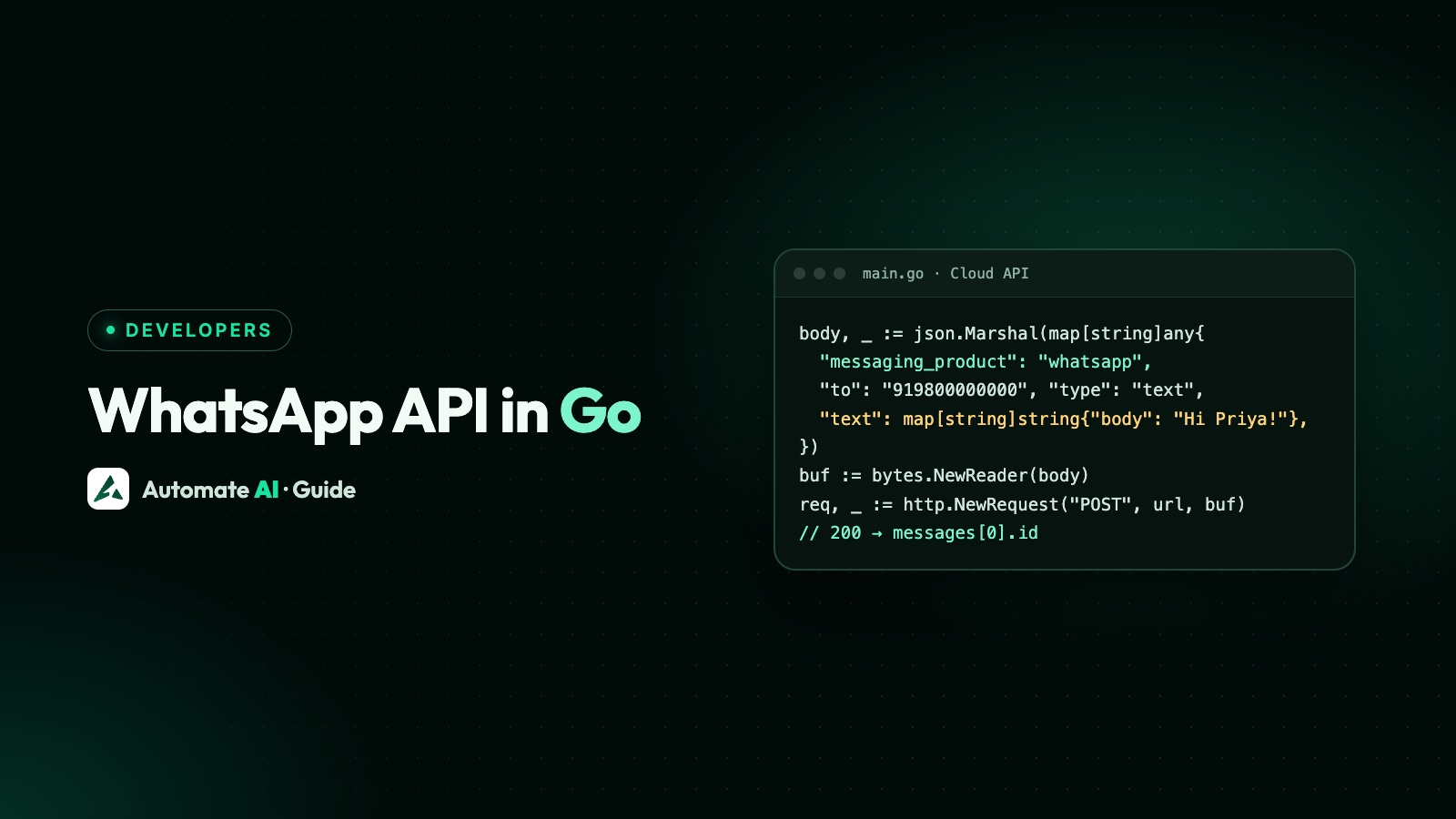
To send a WhatsApp message from Go, POST JSON to https://graph.facebook.com/v27.0/<PHONE_NUMBER_ID>/messages with net/http and an Authorization: Bearer token. Meta’s Cloud API is plain HTTPS and JSON, and Go’s standard library already has everything you need: no third-party module, no SDK.
This guide builds one file, main.go: a send helper, text and template messages, typed errors with retries, a small worker pool, and a Go 1.22 webhook that answers Meta’s handshake and checks the X-Hub-Signature-256 signature. It uses Graph API v27.0, the latest in Meta’s changelog (4 November 2026). For other languages, see the Java, Python, Node.js and C# guides.
Key takeaways
- Meta doesn’t publish a Go SDK. The standard library (
net/http,encoding/json,crypto/hmac) covers sending and webhooks. - You need Go 1.22 or later for method patterns such as
"POST /webhook"inhttp.ServeMux. - Return a typed error carrying Meta’s code, and check it with
errors.Asto retry only on throughput errors. - Hash the raw request body with your app secret and compare with
hmac.Equal, before you parse anything. - Go libraries that drive WhatsApp Web, such as whatsmeow, aren’t the official API and can put a business number at risk.
Is there an official WhatsApp Go SDK?
No. Meta’s Cloud API pages describe HTTP requests only and name no Go package. That leaves three options:
| Option | What it is | Use it for a business number? |
|---|---|---|
| Standard library (this guide) | net/http and encoding/json calling graph.facebook.com | Yes. It always matches Meta’s current format |
| Community Cloud API wrappers | Go modules by independent developers that call the same Graph API | Possibly. Check that it calls graph.facebook.com and keeps up with new versions |
| WhatsApp Web libraries, such as whatsmeow | A Go library for WhatsApp Web’s multi-device protocol: it connects as a linked device | No. It isn’t Meta’s Business API |
whatsmeow connects to WhatsApp the way WhatsApp Web does, not through Meta’s Business API. WhatsApp says unofficial apps break its Terms of Service and can get an account banned, so it’s the wrong tool for a business number you depend on. The full comparison is in official vs unofficial WhatsApp APIs.
Before you write any Go
- Go 1.22 or later, and a module:
go mod init example.com/wa. Make surego.modsaysgo 1.22or later, or the method patterns won’t work. Nogo getis needed. - A phone number ID and a permanent system-user token. The token in API Setup expires; the Cloud API setup guide shows how to make a lasting one, and this guide shows where the phone number ID is.
- Your app secret and a verify token you choose, for the webhook.
- A test recipient who has agreed to hear from you, such as your own phone on Meta’s test number.
The code reads WHATSAPP_TOKEN, PHONE_NUMBER_ID, APP_SECRET and VERIFY_TOKEN from the environment.
A send helper with net/http
Start main.go with package main and these imports: bytes, context, crypto/hmac, crypto/sha256, encoding/hex, encoding/json, errors, fmt, io, log, net/http, os, strings, sync and time. Every one of them is used by the end of the file.
| Line | main.go |
|---|---|
| 1 | const apiVersion = "v27.0" |
| 2 | type obj = map[string]any |
| 3 | var (token = os.Getenv("WHATSAPP_TOKEN"); appSecret = os.Getenv("APP_SECRET"); verifyToken = os.Getenv("VERIFY_TOKEN") |
| 4 | messagesURL = "https://graph.facebook.com/" + apiVersion + "/" + os.Getenv("PHONE_NUMBER_ID") + "/messages" |
| 5 | client = &http.Client{Timeout: 15 * time.Second}) |
| 6 | type APIError struct { Code int; Message string; Body string } |
| 7 | func (e *APIError) Error() string { return fmt.Sprintf("whatsapp error %d: %s", e.Code, e.Message) } |
| 8 | func send(ctx context.Context, payload obj) (string, error) { |
| 9 | body, err := json.Marshal(payload); if err != nil { return "", err } |
| 10 | req, err := http.NewRequestWithContext(ctx, http.MethodPost, messagesURL, bytes.NewReader(body)); if err != nil { return "", err } |
| 11 | req.Header.Set("Authorization", "Bearer "+token); req.Header.Set("Content-Type", "application/json") |
| 12 | res, err := client.Do(req); if err != nil { return "", err }; defer res.Body.Close() |
| 13 | raw, err := io.ReadAll(res.Body); if err != nil { return "", err } |
| 14 | var out struct { Messages []struct{ ID string }; Error *struct { Code int; Message string } } |
| 15 | if err := json.Unmarshal(raw, &out); err != nil { return "", fmt.Errorf("whatsapp: status %d: %w", res.StatusCode, err) } |
| 16 | if out.Error != nil { return "", &APIError{Code: out.Error.Code, Message: out.Error.Message, Body: string(raw)} } |
| 17 | if res.StatusCode/100 != 2 || len(out.Messages) == 0 { return "", fmt.Errorf("whatsapp: unexpected status %d: %s", res.StatusCode, raw) } |
| 18 | return out.Messages[0].ID, nil } |
The semicolons only fit lines into the table; gofmt splits them. Points to note:
- One shared
http.Clientis safe across goroutines and reuses connections; theTimeoutandcontextstop a slow call hanging. - No struct tags needed.
encoding/jsonmatches JSON keys to field names without regard to case, soIDreads"id"andMessagesreads"messages". Bodykeeps Meta’s whole error reply, includingerror_dataandfbtrace_id, for your logs and for Meta support.objis a type alias, so payloads read like Meta’s JSON. Never build the JSON withfmt.Sprintf.
Send a text and a template message
A free-form text reaches the customer only inside the 24-hour customer service window, which opens when they message you. Outside it, send an approved template.
| Message | Go |
|---|---|
| Text | id, err := send(ctx, obj{"messaging_product": "whatsapp", "recipient_type": "individual", "to": "919800000000", "type": "text", "text": obj{"preview_url": false, "body": "Hi Priya, your table for 4 is booked for 8 pm tonight."}}) |
| Template values | params := []obj{{"type": "text", "text": "Priya"}, {"type": "text", "text": "ORD-1042"}} |
| Template | tpl := obj{"name": "order_update", "language": obj{"code": "en"}, "components": []obj{{"type": "body", "parameters": params}}} |
| Send it | id, err := send(ctx, obj{"messaging_product": "whatsapp", "recipient_type": "individual", "to": "919800000000", "type": "template", "template": tpl}) |
| Named value | obj{"type": "text", "parameter_name": "first_name", "text": "Priya"}, for templates made with named variables |
These lines run inside a function that has a ctx context.Context. If you send both in one function, use id, err = ... for the second send, and log or store id so Go doesn’t report it as unused.
- Store the returned ID (
wamid…): webhook statuses refer to it. - A nil error means Meta accepted the request, not that the phone received it. Statuses arrive later at the webhook.
- Templates send only when APPROVED, and the name and language code must match WhatsApp Manager exactly. Positional values follow
{{1}},{{2}}; named ones can come in any order.
Headers with images, and buttons, are extra components, shown in how to send a WhatsApp template message with the API. Why free text fails after a day is explained in the WhatsApp 24-hour rule.
Errors, retries and sending to many numbers
Because send returns an *APIError, callers can branch on Meta’s code with errors.As. These four come up most:
| Code | Meaning | What your Go code should do |
|---|---|---|
| 190 | Access token expired or invalid | Stop and alert: retrying won’t help. Use a permanent system-user token |
| 131047 | More than 24 hours since the customer last wrote | Send an approved template instead |
| 132001 | Template doesn’t exist in that language or isn’t approved | Fix the name or language code; don’t retry |
| 130429 | Throughput limit reached | Wait and retry with a growing delay |
Add a retry that waits only on 130429, and a worker pool that sends to a list with at most a few requests in flight:
| Line | main.go |
|---|---|
| 19 | func sendWithRetry(ctx context.Context, payload obj) (string, error) { |
| 20 | delay := time.Second |
| 21 | for attempt := 1; ; attempt++ { id, err := send(ctx, payload); var apiErr *APIError |
| 22 | if err == nil || attempt == 4 || !errors.As(err, &apiErr) || apiErr.Code != 130429 { return id, err } |
| 23 | select { case <-time.After(delay): delay *= 2; case <-ctx.Done(): return "", ctx.Err() } } } |
| 24 | func sendAll(ctx context.Context, numbers []string, build func(to string) obj) { |
| 25 | var wg sync.WaitGroup; slots := make(chan struct{}, 5) |
| 26 | for _, to := range numbers { wg.Add(1); slots <- struct{}{} |
| 27 | go func(to string) { defer wg.Done(); defer func() { <-slots }() |
| 28 | if _, err := sendWithRetry(ctx, build(to)); err != nil { log.Println(to, err) } }(to) } |
| 29 | wg.Wait() } |
The slots channel caps sends in flight (five here), and build makes each person’s template payload. Only message people who opted in. Limits are in WhatsApp API rate limits, and every code in WhatsApp API error codes.
A webhook with Go 1.22’s ServeMux
Meta sends incoming messages and delivery statuses to a URL you own: a GET handshake when you save the URL, then signed POSTs. Go 1.22 lets the standard ServeMux route by method, so each gets its own handler:
| Line | main.go |
|---|---|
| 30 | func verify(w http.ResponseWriter, r *http.Request) { q := r.URL.Query() |
| 31 | if q.Get("hub.mode") != "subscribe" || verifyToken == "" || q.Get("hub.verify_token") != verifyToken { http.Error(w, "forbidden", http.StatusForbidden); return } |
| 32 | w.Header().Set("Content-Type", "text/plain"); io.WriteString(w, q.Get("hub.challenge")) } |
| 33 | func validSignature(body []byte, header string) bool { hexSig, ok := strings.CutPrefix(header, "sha256=") |
| 34 | sig, err := hex.DecodeString(hexSig); if !ok || err != nil || appSecret == "" { return false } |
| 35 | mac := hmac.New(sha256.New, []byte(appSecret)); mac.Write(body); return hmac.Equal(sig, mac.Sum(nil)) } |
| 36 | func receive(w http.ResponseWriter, r *http.Request) { body, err := io.ReadAll(http.MaxBytesReader(w, r.Body, 10<<20)) |
| 37 | if err != nil { http.Error(w, "bad request", http.StatusBadRequest); return } |
| 38 | if !validSignature(body, r.Header.Get("X-Hub-Signature-256")) { http.Error(w, "invalid signature", http.StatusUnauthorized); return } |
| 39 | w.WriteHeader(http.StatusOK); go handle(body) } |
| 40 | type update struct { Entry []struct { Changes []struct { Field string; Value struct { |
| 41 | Messages []struct { ID, From, Type string; Text struct{ Body string } }; Statuses []struct{ ID, Status string } } } } } |
| 42 | func handle(body []byte) { var u update; if err := json.Unmarshal(body, &u); err != nil { log.Println("webhook:", err); return } |
| 43 | for _, e := range u.Entry { for _, c := range e.Changes { for _, m := range c.Value.Messages { log.Printf("message %s from %s (%s): %s", m.ID, m.From, m.Type, m.Text.Body) } |
| 44 | for _, s := range c.Value.Statuses { log.Printf("status %s: %s", s.ID, s.Status) } } } } |
| 45 | func main() { mux := http.NewServeMux(); mux.HandleFunc("GET /webhook", verify); mux.HandleFunc("POST /webhook", receive) |
| 46 | srv := &http.Server{Addr: ":8080", Handler: mux, ReadHeaderTimeout: 10 * time.Second}; log.Fatal(srv.ListenAndServe()) } |
- Handshake (lines 30 to 32): Meta sends
hub.mode=subscribe, your verify token and a randomhub.challenge. Write the challenge back with a 200; anything else leaves the URL unverified. - Signature (lines 33 to 35): the header is
sha256=plus the hex HMAC-SHA256 of the raw body, keyed with your app secret.hmac.Equalcompares in constant time.strings.CutPrefixneeds Go 1.20, the routing needs 1.22. - Raw bytes first (line 36): check the signature on the exact bytes read, then parse.
MaxBytesReadercaps the size. - Answer, then work (line 39): the 200 goes out before processing. In production, use a queue instead of a bare goroutine.
Test it locally, then go live
Run go run . with the four environment variables set, then check both routes from another terminal, with the same VERIFY_TOKEN and APP_SECRET exported there too:
- Handshake:
curl "localhost:8080/webhook?hub.mode=subscribe&hub.verify_token=$VERIFY_TOKEN&hub.challenge=12345"should print12345. A wrong token should give 403. - Signed POST: set
BODY='{"entry":[]}', thenSIG=$(printf %s "$BODY" | openssl dgst -sha256 -hmac "$APP_SECRET" | awk '{print $NF}')andcurl -i -X POST -H "X-Hub-Signature-256: sha256=$SIG" -d "$BODY" localhost:8080/webhook. You should get 200; change one character of the body and you should get 401. - Go live: deploy behind a public HTTPS address with a valid certificate (Meta doesn’t accept self-signed ones), save
https://your-domain/webhookand your verify token as the callback URL in your Meta app, and subscribe to the messages field.
Payload shapes and status types are explained in WhatsApp Cloud API webhooks. If the handshake passes but nothing arrives, work through WhatsApp webhook not receiving messages.
Go with Automate AI, or no code at all
If you’d rather not run the webhook and sending queue yourself, Automate AI connects your number to Meta and receives the webhooks, with a shared inbox, campaigns that send approved templates now or on a schedule, and no-code chatbots.
For Go developers, Automate AI also has its own REST API with API keys, endpoints for contacts, messages, templates, campaigns and automations, developer webhooks with logs, and a Postman collection. There’s no Go SDK, but the same net/http pattern works against it. The API and webhooks come with the AI + Automation Plan and Series 4; see the WhatsApp Business API page and pricing.
Frequently asked questions
How do I send a WhatsApp message with Go?
Marshal a map or struct to JSON with messaging_product: "whatsapp", to, type and the message object, and POST it with net/http to https://graph.facebook.com/v27.0/<PHONE_NUMBER_ID>/messages with an Authorization: Bearer header. The reply holds the message ID.
Is there an official WhatsApp Go SDK or library?
Meta doesn’t publish one. Its Cloud API documentation describes HTTP requests, which Go’s standard library handles.
Can I use whatsmeow for my business?
Not for a business number you care about. whatsmeow is a library for WhatsApp Web’s multi-device protocol, not Meta’s Business API. WhatsApp says unofficial apps break its terms and can lead to a ban.
Which Go version do I need?
Go 1.22 or later, for the method patterns in http.ServeMux.
Why does my Go webhook fail the signature check?
Usually because the body was decoded, or read twice, before hashing. Read it once with io.ReadAll, hash those exact bytes with your app secret, and compare the hex after sha256= using hmac.Equal.
Which Graph API version should I use?
The latest in Meta’s changelog. On 28 November 2026 that is v27.0, released on 4 November 2026. Keep it in one constant.
Sources
- Meta: Send messages
- Meta: Templates overview
- Meta: Create a webhook endpoint
- Meta: Graph API changelog
- The Go Blog: Routing enhancements for Go 1.22
- WhatsApp Help Center: About unofficial WhatsApp apps
WhatsApp rules and prices change. We check these guides against Meta’s documentation, but always confirm current terms with Meta before you rely on them. Questions? Message us on WhatsApp at +91 836 977 8812.